> ## Documentation Index
> Fetch the complete documentation index at: https://synthetiq.com/docs/llms.txt
> Use this file to discover all available pages before exploring further.
# Identity providers
> Configuring OIDC identity providers for app authentication
Each app uses Synthetiq as its default identity provider. Admins can configure additional OIDC-compliant identity providers to allow users to authenticate with Google, GitHub, or any other provider that supports OpenID Connect.
## Managing identity providers
Admins configure identity providers at `/admin/identity-providers`.
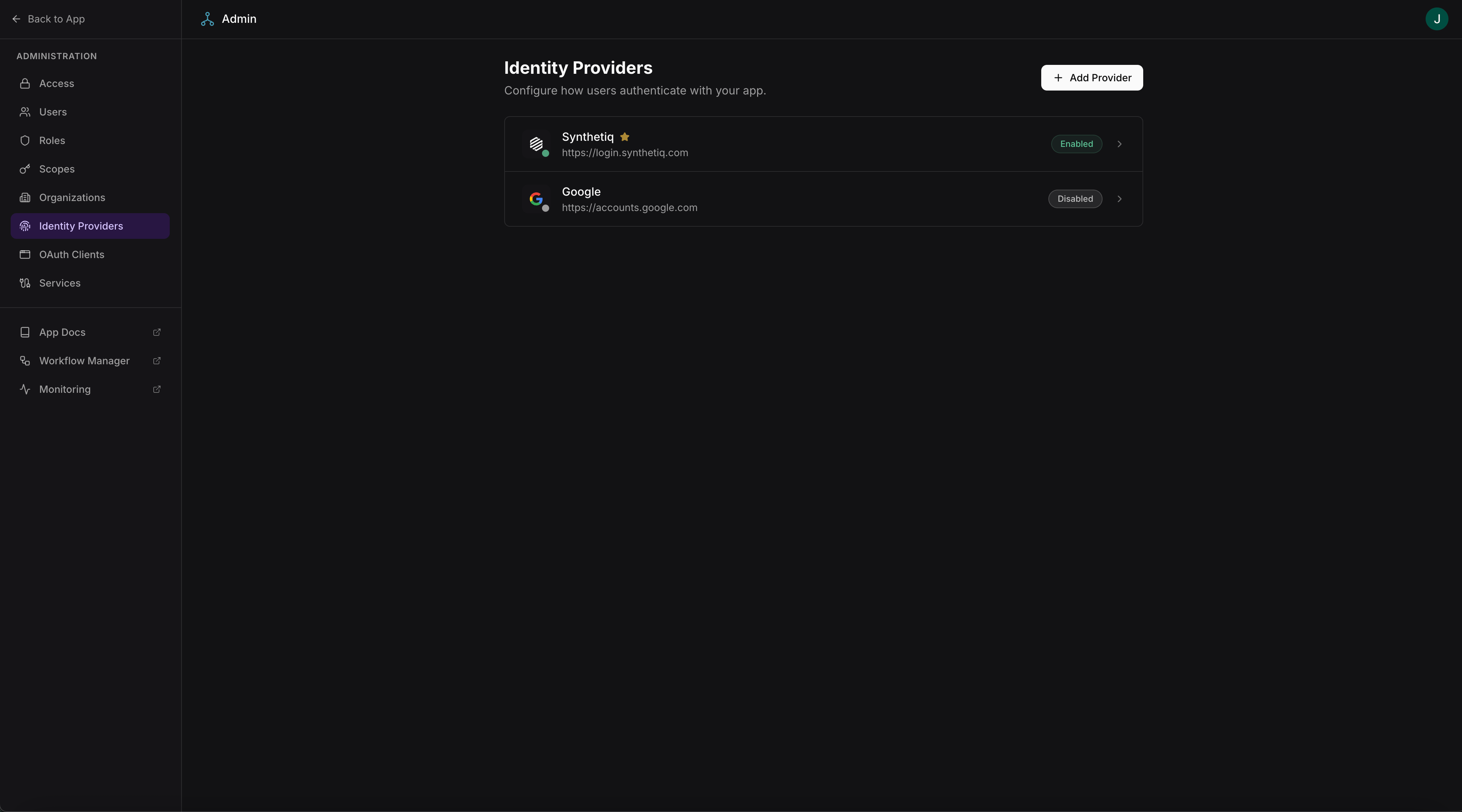 Access requires admin-level scopes.
## Adding a provider
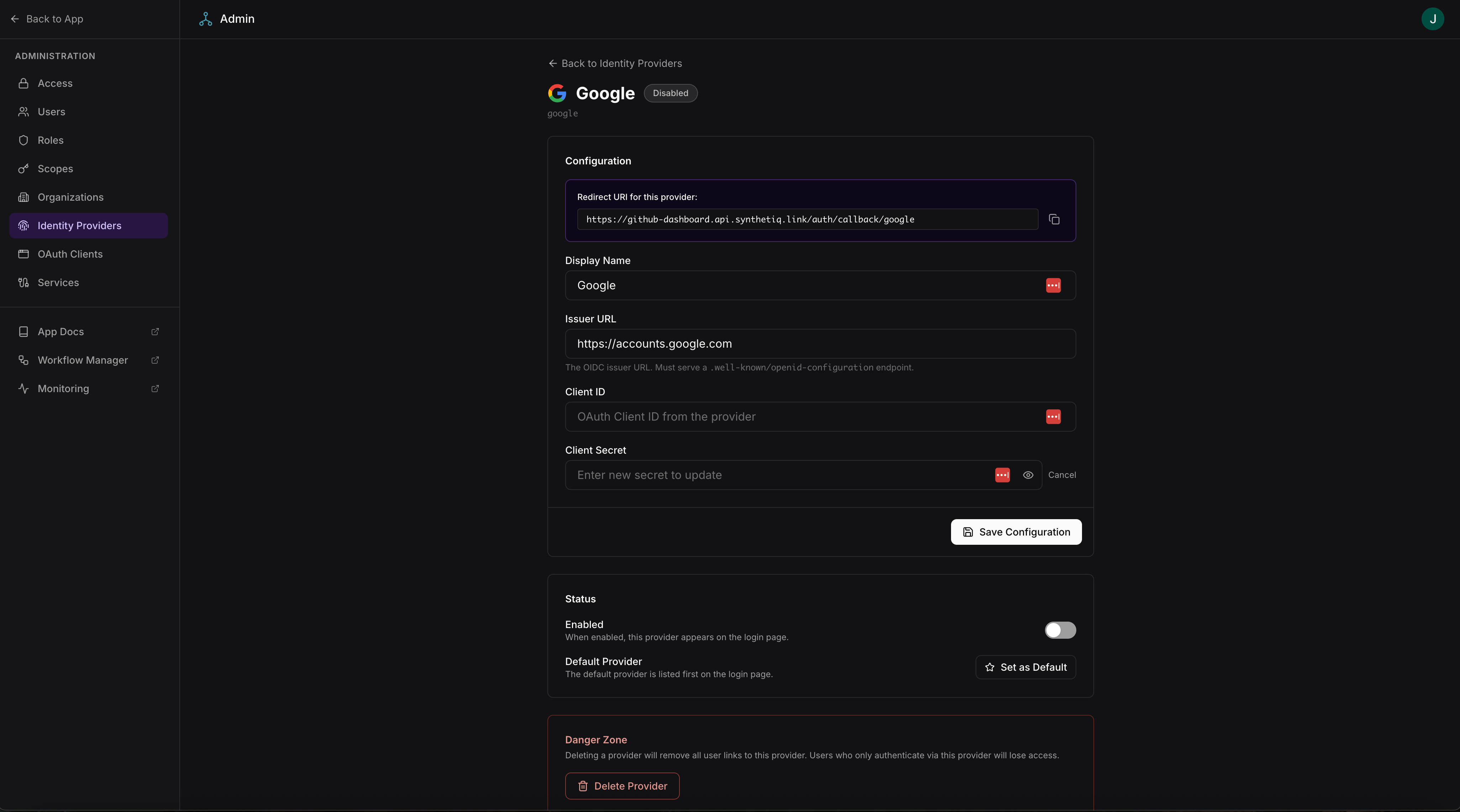
To add a new identity provider, provide the following OIDC configuration:
| Field | Description |
| ------------- | --------------------------------------------------------- |
| Name | Display name shown on the login page |
| Issuer URL | The OIDC issuer URL (e.g., `https://accounts.google.com`) |
| Client ID | OAuth client ID from the provider |
| Client secret | OAuth client secret from the provider |
| Scopes | OAuth scopes to request (e.g., `openid profile email`) |
The framework handles the full OIDC flow — discovery, authorization, token exchange, and user profile mapping.
Access requires admin-level scopes.
## Adding a provider
To add a new identity provider, provide the following OIDC configuration:
| Field | Description |
| ------------- | --------------------------------------------------------- |
| Name | Display name shown on the login page |
| Issuer URL | The OIDC issuer URL (e.g., `https://accounts.google.com`) |
| Client ID | OAuth client ID from the provider |
| Client secret | OAuth client secret from the provider |
| Scopes | OAuth scopes to request (e.g., `openid profile email`) |
The framework handles the full OIDC flow — discovery, authorization, token exchange, and user profile mapping.
 ## Supported providers
| Provider | Issuer URL |
| ----------------- | --------------------------------- |
| Synthetiq | Default — no configuration needed |
| Google | `https://accounts.google.com` |
| GitHub | `https://github.com` |
| Any OIDC provider | The provider's OIDC issuer URL |
## How login works with multiple providers
When multiple identity providers are configured, the login page displays a button for each provider. Users choose which provider to authenticate with. The framework:
1. Redirects the user to the provider's authorization endpoint
2. Handles the callback and token exchange
3. Maps the provider's user profile to the app's `User` table
4. Issues a session JWT for subsequent requests
Users who authenticate through different providers but share the same email address are treated as the same user.
## Supported providers
| Provider | Issuer URL |
| ----------------- | --------------------------------- |
| Synthetiq | Default — no configuration needed |
| Google | `https://accounts.google.com` |
| GitHub | `https://github.com` |
| Any OIDC provider | The provider's OIDC issuer URL |
## How login works with multiple providers
When multiple identity providers are configured, the login page displays a button for each provider. Users choose which provider to authenticate with. The framework:
1. Redirects the user to the provider's authorization endpoint
2. Handles the callback and token exchange
3. Maps the provider's user profile to the app's `User` table
4. Issues a session JWT for subsequent requests
Users who authenticate through different providers but share the same email address are treated as the same user.