> ## Documentation Index
> Fetch the complete documentation index at: https://synthetiq.com/docs/llms.txt
> Use this file to discover all available pages before exploring further.
# OAuth connections
> Managing OAuth applications for HTTP API and MCP access to deployed apps
Every deployed app acts as an OAuth 2.0 provider. External applications — HTTP API clients, MCP-compatible AI tools, and custom integrations — can authenticate users and consume the app's API through OAuth connections.
## What OAuth connections enable
| Access method | Description |
| ------------- | ---------------------------------------------------------------------------------------------------------------------------------- |
| HTTP API | External applications and Synthetiq services call the app's auto-generated HTTP endpoints with an OAuth access token |
| MCP server | AI tools like Claude Desktop, Cursor, and other MCP-compatible clients connect to the app's MCP server to call procedures as tools |
All requests through OAuth connections go through the same authentication, scope enforcement, and RLS middleware as requests from the app's own frontend.
## Admin: managing OAuth clients
Admins manage all OAuth applications registered against the app at `/admin/oauth-clients`.
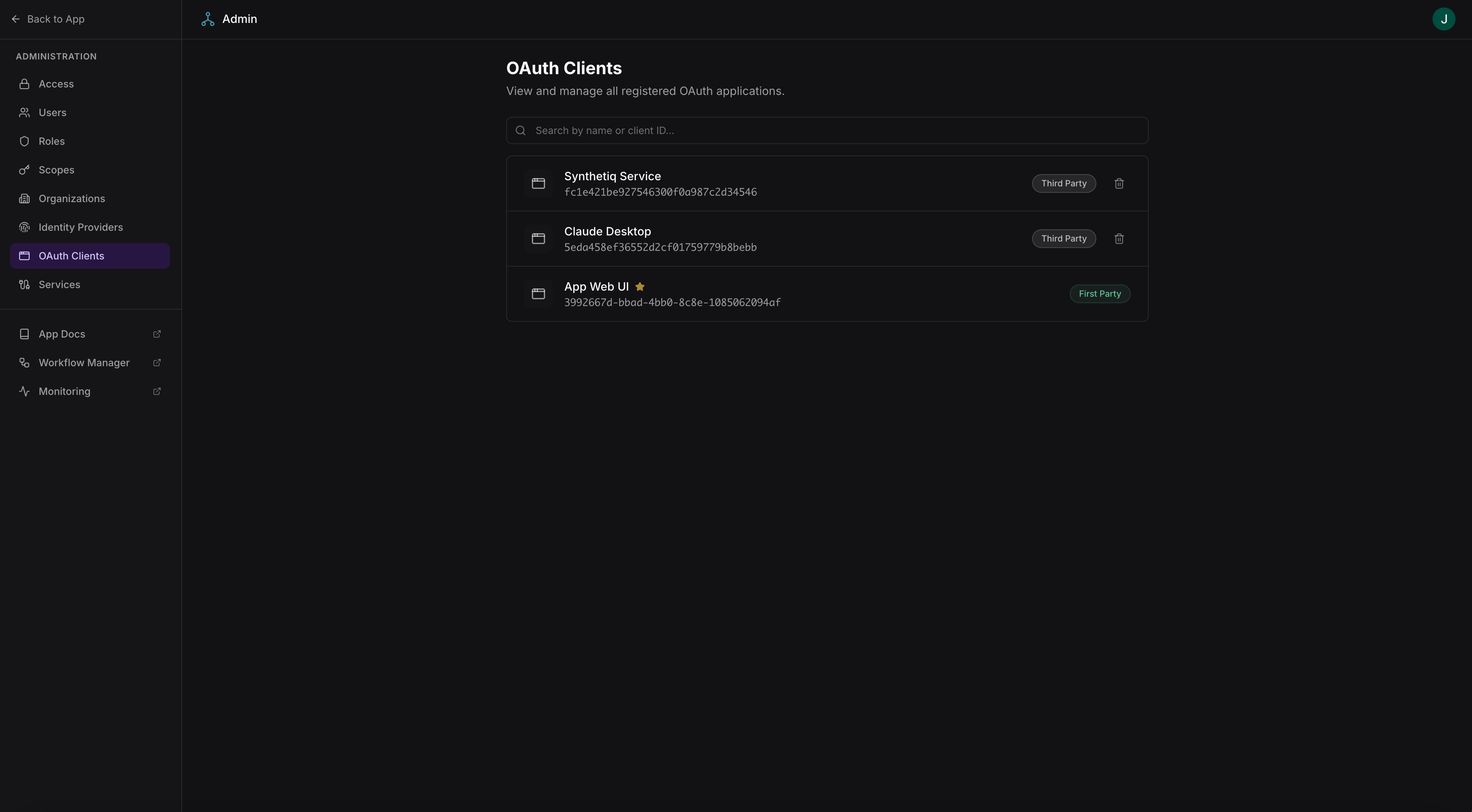 Access requires admin-level scopes.
From this page, admins can:
* View all registered OAuth applications (both admin-created and user-created)
* Revoke or delete OAuth applications
* View client details including redirect URIs and granted scopes
## Users: registering OAuth apps
Users register their own OAuth applications at `/settings/oauth-apps`. This allows users to create integrations that act on their behalf.
Access requires admin-level scopes.
From this page, admins can:
* View all registered OAuth applications (both admin-created and user-created)
* Revoke or delete OAuth applications
* View client details including redirect URIs and granted scopes
## Users: registering OAuth apps
Users register their own OAuth applications at `/settings/oauth-apps`. This allows users to create integrations that act on their behalf.
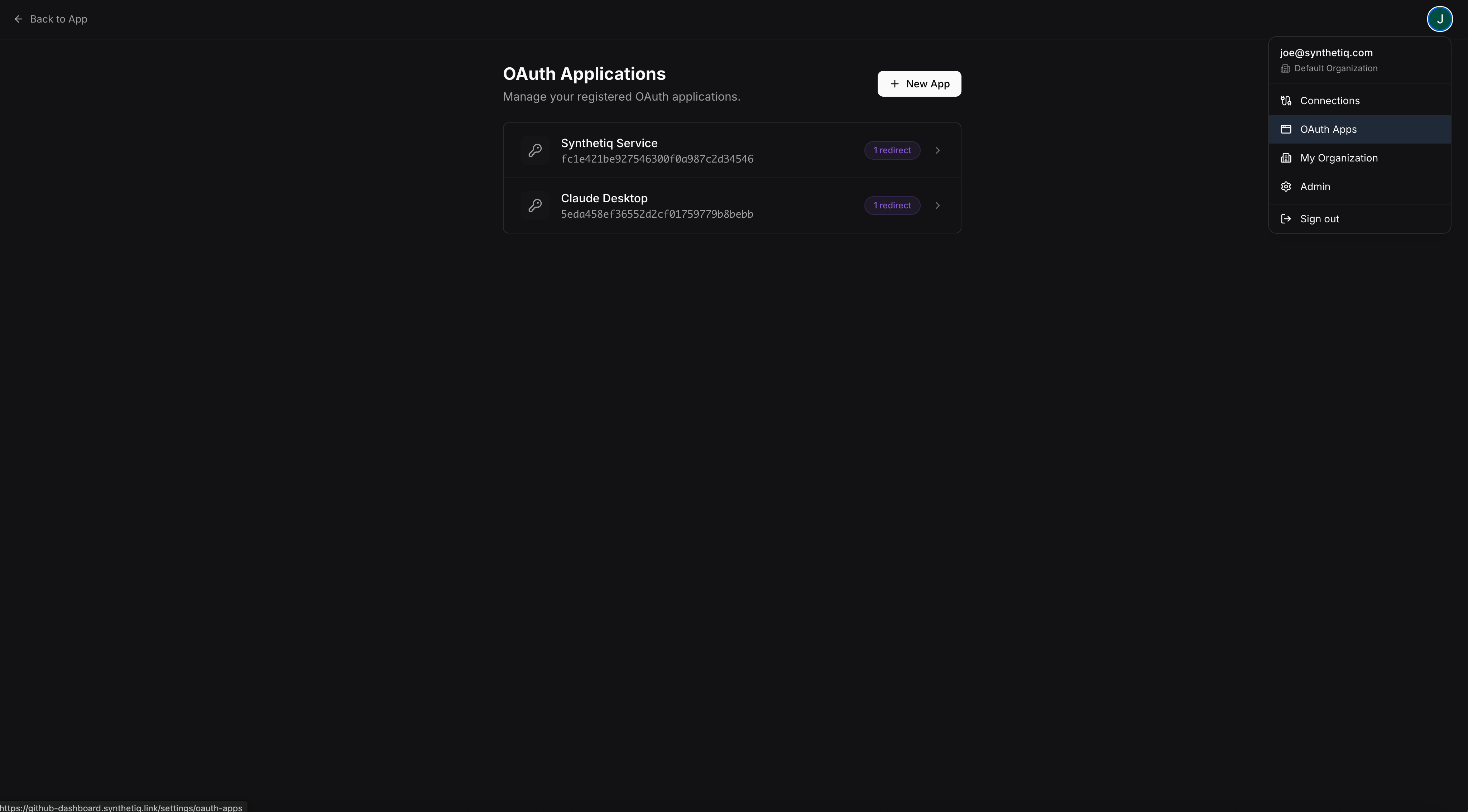 ### Creating an OAuth app
Users create a new OAuth application at `/settings/oauth-apps/new`:
### Creating an OAuth app
Users create a new OAuth application at `/settings/oauth-apps/new`:
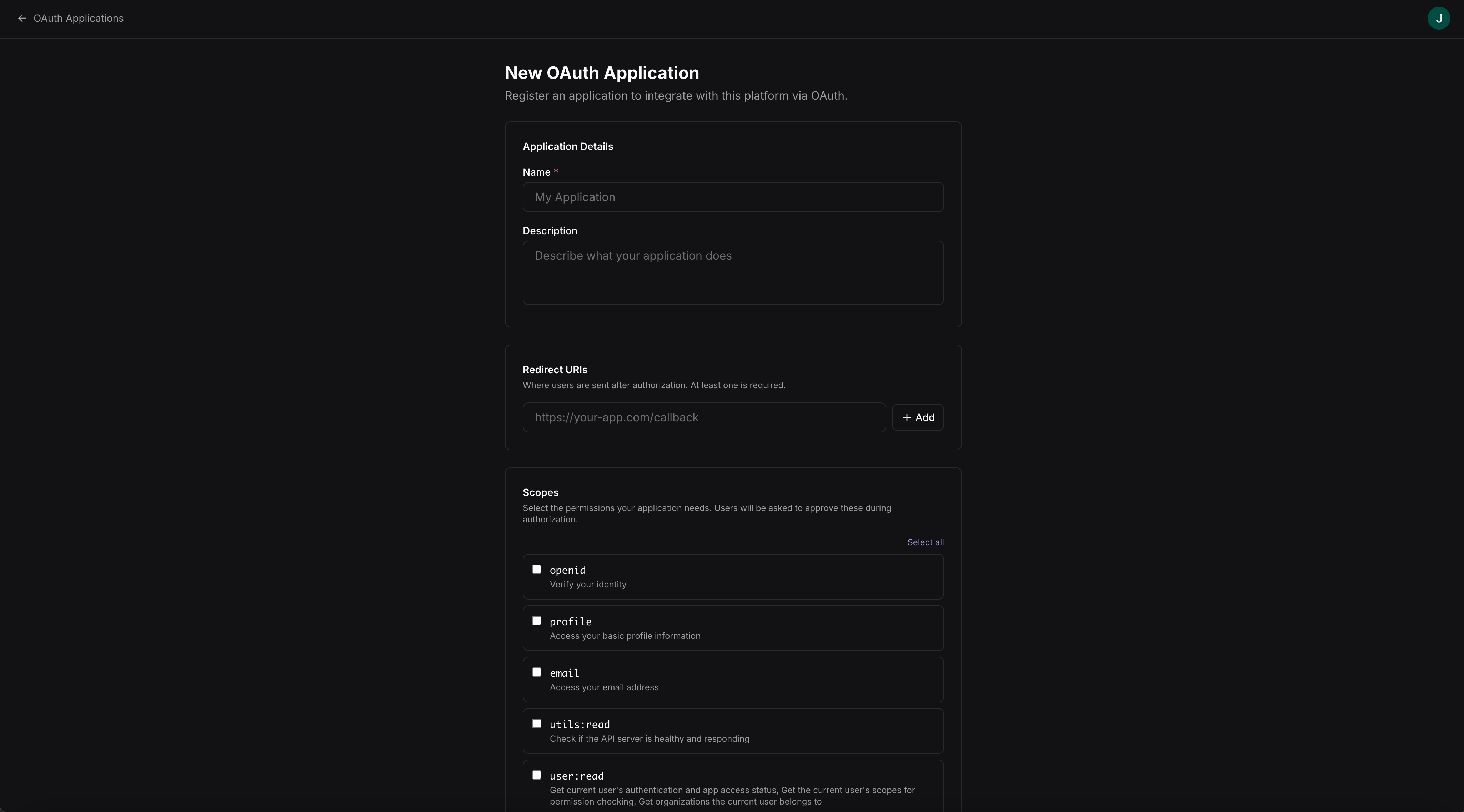 | Field | Description |
| ------------ | ----------------------------------------------------- |
| Name | Display name for the application |
| Redirect URI | The callback URL where the authorization code is sent |
| Description | Optional description of what the application does |
After creation, the user receives a **client ID** and **client secret** to use in the OAuth flow.
## Connecting via the HTTP API
External applications can call the app's auto-generated [HTTP API](/docs/platform-docs/app-framework/headless/http-api) using an OAuth access token. The full API spec and interactive console are available in the app's [built-in API docs](/docs/platform-docs/app-framework/docs/api).
## Connecting AI tools via MCP
MCP-compatible AI tools can connect to the app's [MCP server](/docs/platform-docs/app-framework/headless/mcp) using OAuth credentials. The tool authenticates as the user and can call any procedure the user has access to.
| Field | Description |
| ------------ | ----------------------------------------------------- |
| Name | Display name for the application |
| Redirect URI | The callback URL where the authorization code is sent |
| Description | Optional description of what the application does |
After creation, the user receives a **client ID** and **client secret** to use in the OAuth flow.
## Connecting via the HTTP API
External applications can call the app's auto-generated [HTTP API](/docs/platform-docs/app-framework/headless/http-api) using an OAuth access token. The full API spec and interactive console are available in the app's [built-in API docs](/docs/platform-docs/app-framework/docs/api).
## Connecting AI tools via MCP
MCP-compatible AI tools can connect to the app's [MCP server](/docs/platform-docs/app-framework/headless/mcp) using OAuth credentials. The tool authenticates as the user and can call any procedure the user has access to.