> ## Documentation Index
> Fetch the complete documentation index at: https://synthetiq.com/docs/llms.txt
> Use this file to discover all available pages before exploring further.
# Organization management
> Multi-tenant organization support with member management and data isolation
Organizations provide multi-tenant data isolation within a single app. Users can belong to multiple organizations and switch between them. Each organization can have its own admins who can manage members and assign roles and scopes within their organization. Row-level security policies can scope data access to the user's current organization.
## Organizations list
The organizations page at `/admin/organizations` lists all organizations in the app.
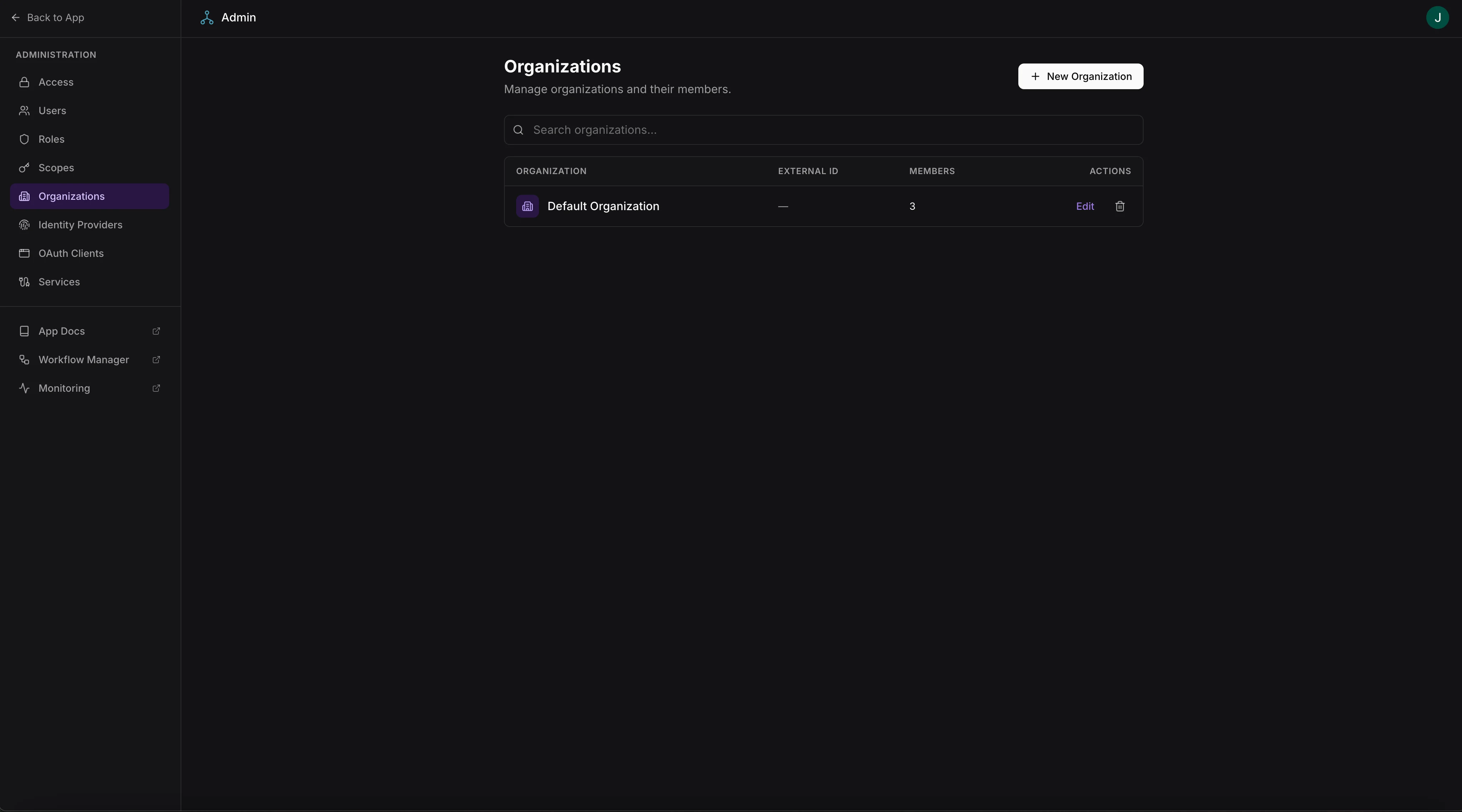 Access requires admin-level scopes.
## Managing members
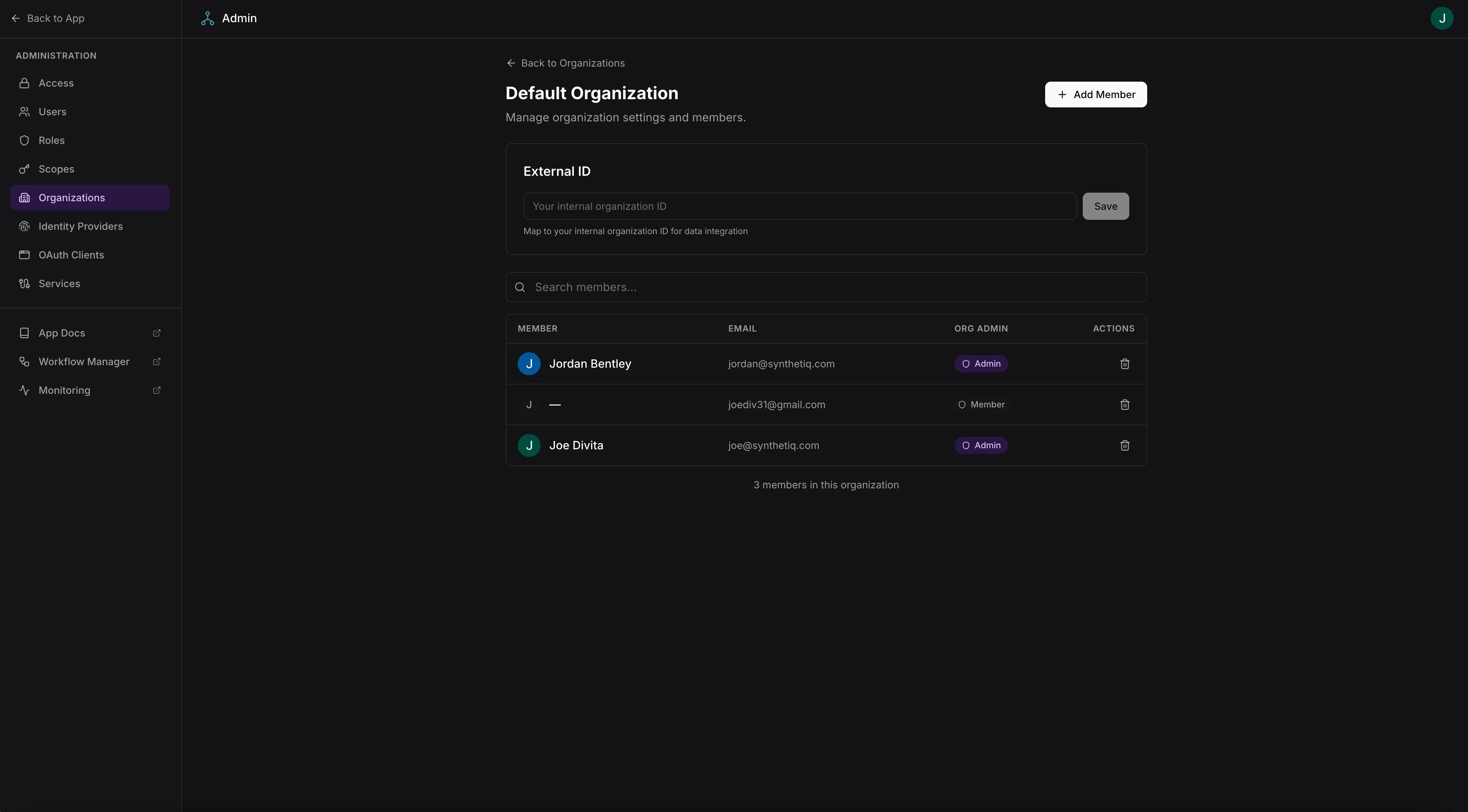
Click an organization to manage its members at `/admin/organizations/:id`:
* View all members of the organization
* Add existing users to the organization
* Remove members from the organization
Access requires admin-level scopes.
## Managing members
Click an organization to manage its members at `/admin/organizations/:id`:
* View all members of the organization
* Add existing users to the organization
* Remove members from the organization
 ## Organization switcher
Users who belong to multiple organizations can switch between them using the organization switcher in the `UserMenu` component. The selected organization is available as `currentOrgId` in `useAuth()` on the frontend and as `ctx.orgId` on the server.
When a user switches organizations:
* Frontend state updates via `useAuth()` to reflect the new `currentOrgId`
* Subsequent server requests include the selected organization context
* RLS policies that use `orgColumn` in `scopes.json` automatically scope data to the selected organization
## Data isolation
To scope data access by organization, configure an `orgColumn` in the `tables` section of `scopes.json`:
```json theme={null}
{
"tables": {
"Project": {
"ownerColumn": "userId",
"orgColumn": "organizationId"
}
}
}
```
This generates RLS policies that restrict data access to rows matching the user's current organization. See the App Framework row-level security documentation for details on access patterns.
## Organization switcher
Users who belong to multiple organizations can switch between them using the organization switcher in the `UserMenu` component. The selected organization is available as `currentOrgId` in `useAuth()` on the frontend and as `ctx.orgId` on the server.
When a user switches organizations:
* Frontend state updates via `useAuth()` to reflect the new `currentOrgId`
* Subsequent server requests include the selected organization context
* RLS policies that use `orgColumn` in `scopes.json` automatically scope data to the selected organization
## Data isolation
To scope data access by organization, configure an `orgColumn` in the `tables` section of `scopes.json`:
```json theme={null}
{
"tables": {
"Project": {
"ownerColumn": "userId",
"orgColumn": "organizationId"
}
}
}
```
This generates RLS policies that restrict data access to rows matching the user's current organization. See the App Framework row-level security documentation for details on access patterns.