> ## Documentation Index
> Fetch the complete documentation index at: https://synthetiq.com/docs/llms.txt
> Use this file to discover all available pages before exploring further.
# User management
> Managing users, roles, scopes, and access control in deployed apps
Every deployed app includes a built-in admin interface for managing users, roles, and access control. Scopes define individual permissions, roles group scopes together, and roles are assigned to users — controlling who has access to what functionality and data in the app.
## Access
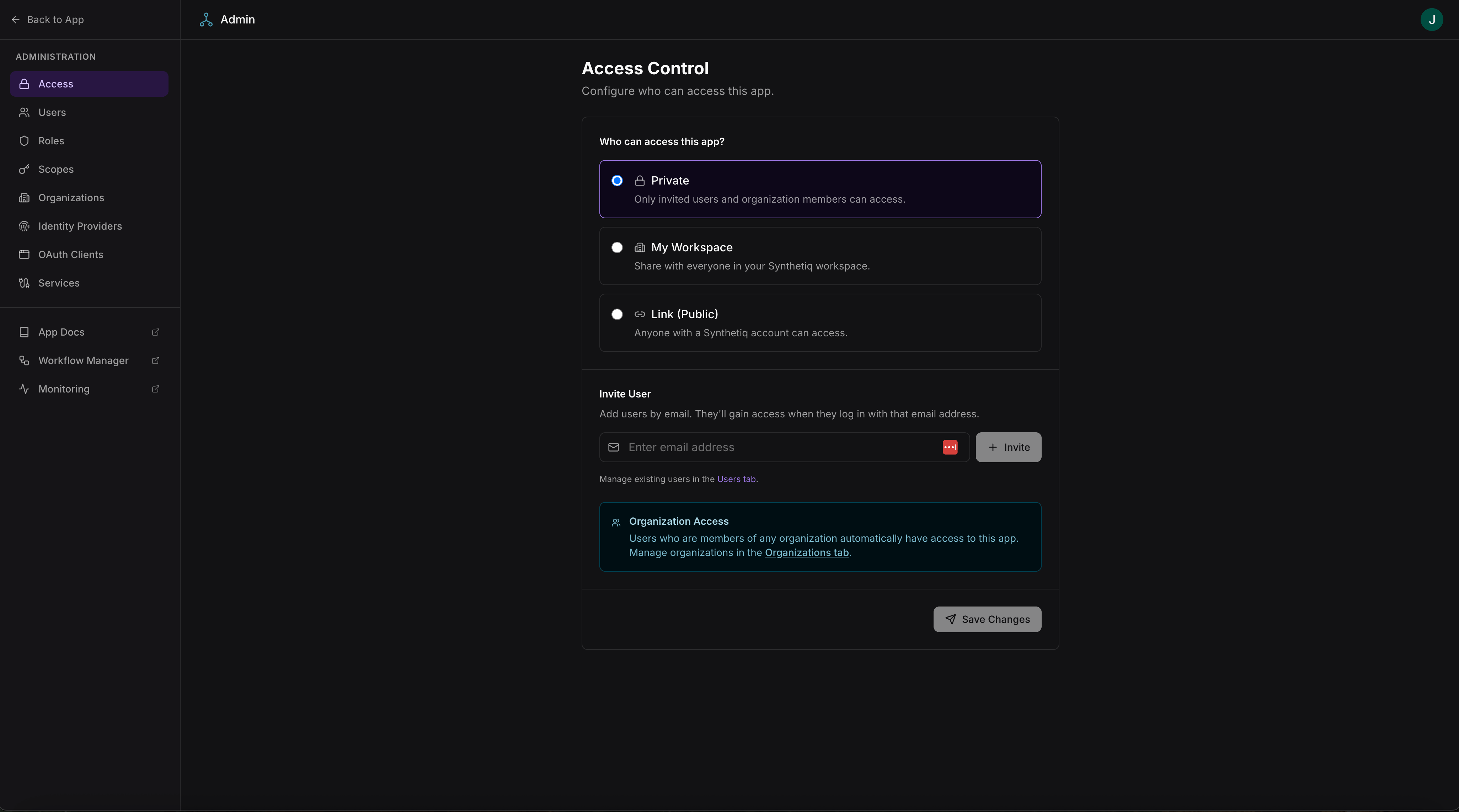
The access page at `/admin/access` controls who can access the app and how users are invited.
### Access levels
| Level | Description |
| ----------------- | ------------------------------------------------------ |
| **Private** | Only invited users and organization members can access |
| **My Workspace** | Share with everyone in your Synthetiq workspace |
| **Link (Public)** | Anyone with a Synthetiq account can access |
### Inviting users
Add users by email address. They gain access when they log in with that email. Organization members automatically have access — manage organizations in the [Organizations tab](/docs/platform-docs/deployments/administration/organization-management).
 Access to all admin pages requires admin-level scopes. The specific scope requirements are noted per section below.
## Users
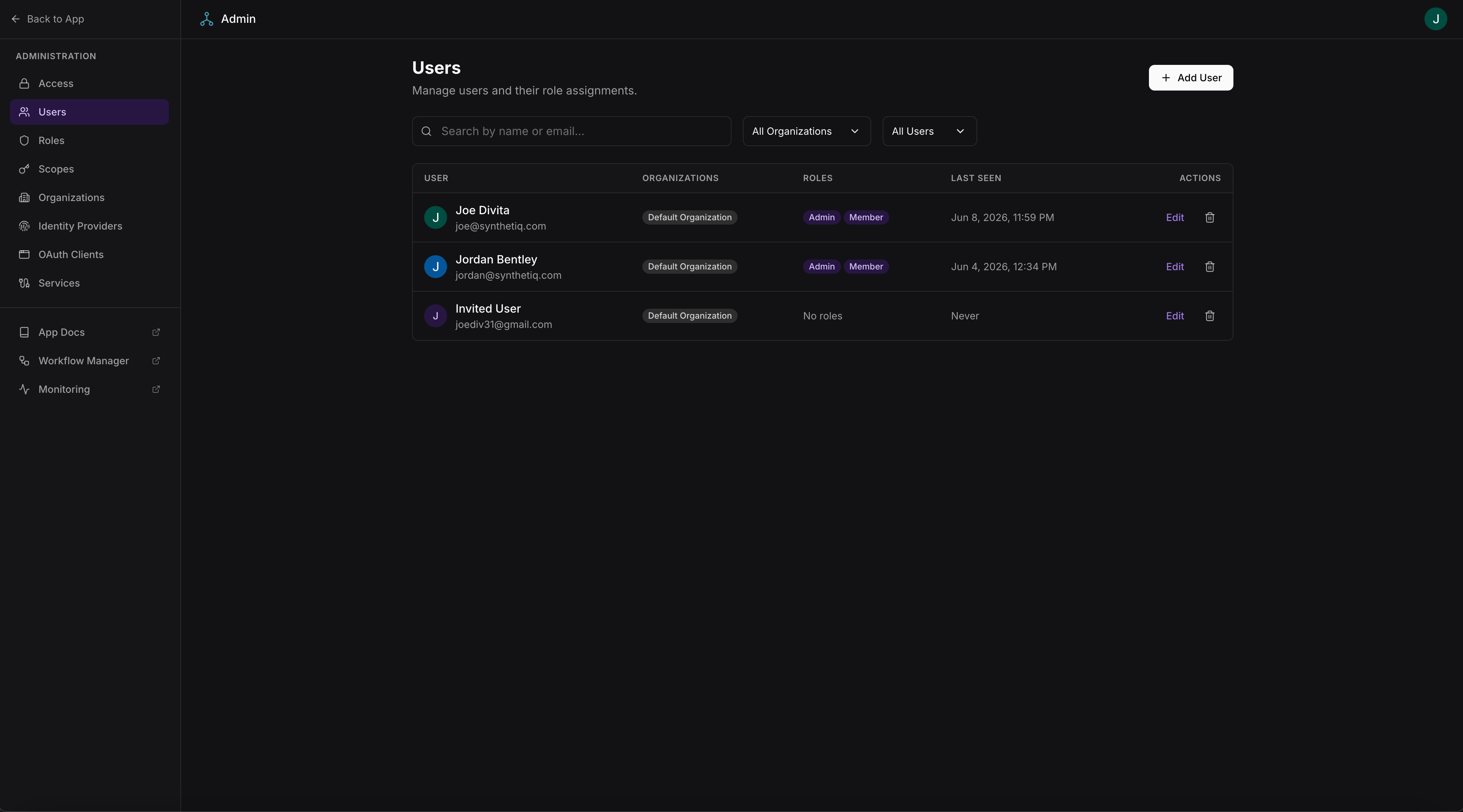
The users page at `/admin/users` lists all users who have accessed the app, or been invited to the app, with their roles, email, and last activity.
Access to all admin pages requires admin-level scopes. The specific scope requirements are noted per section below.
## Users
The users page at `/admin/users` lists all users who have accessed the app, or been invited to the app, with their roles, email, and last activity.
 ### User detail
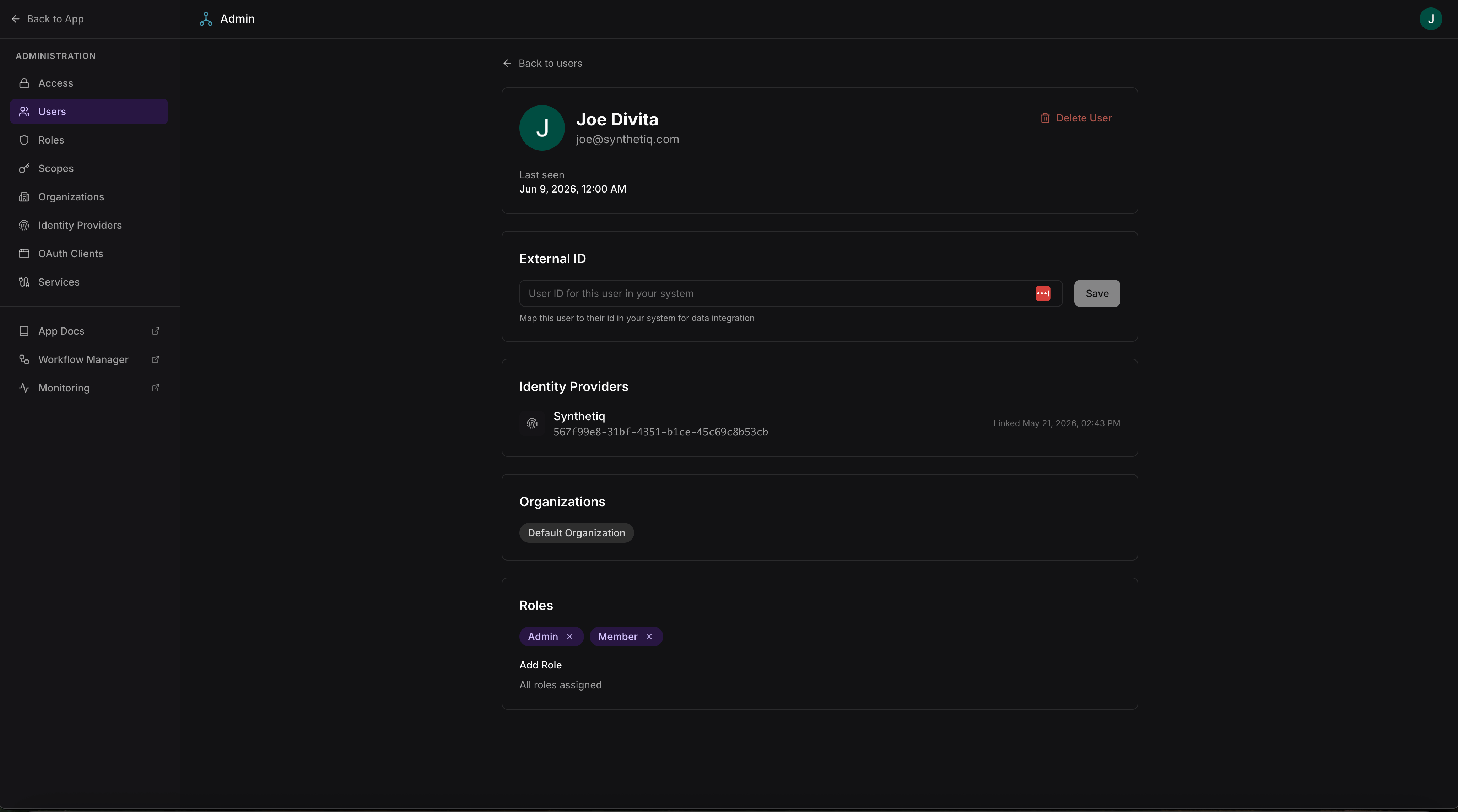
Click a user to view and manage their profile at `/admin/users/:id`:
* View user profile (name, email, last seen)
* Map an external ID for data integration with external systems
* View linked identity providers
* View organization memberships
* Assign or remove roles
* Delete the user
### User detail
Click a user to view and manage their profile at `/admin/users/:id`:
* View user profile (name, email, last seen)
* Map an external ID for data integration with external systems
* View linked identity providers
* View organization memberships
* Assign or remove roles
* Delete the user
 | Action | Required scope |
| --------------- | --------------- |
| View users | `users:viewAll` |
| Edit user roles | `users:editAll` |
## Roles
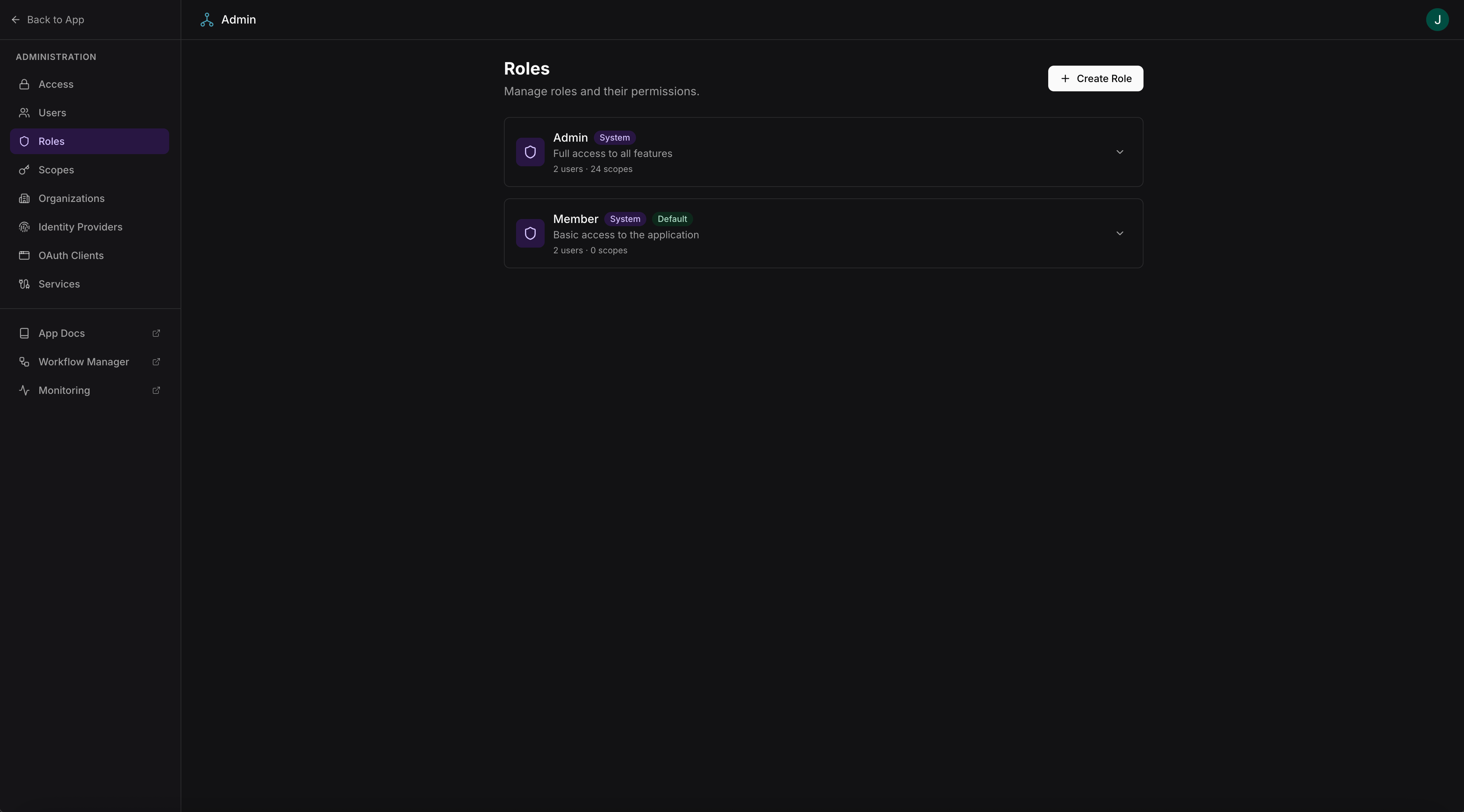
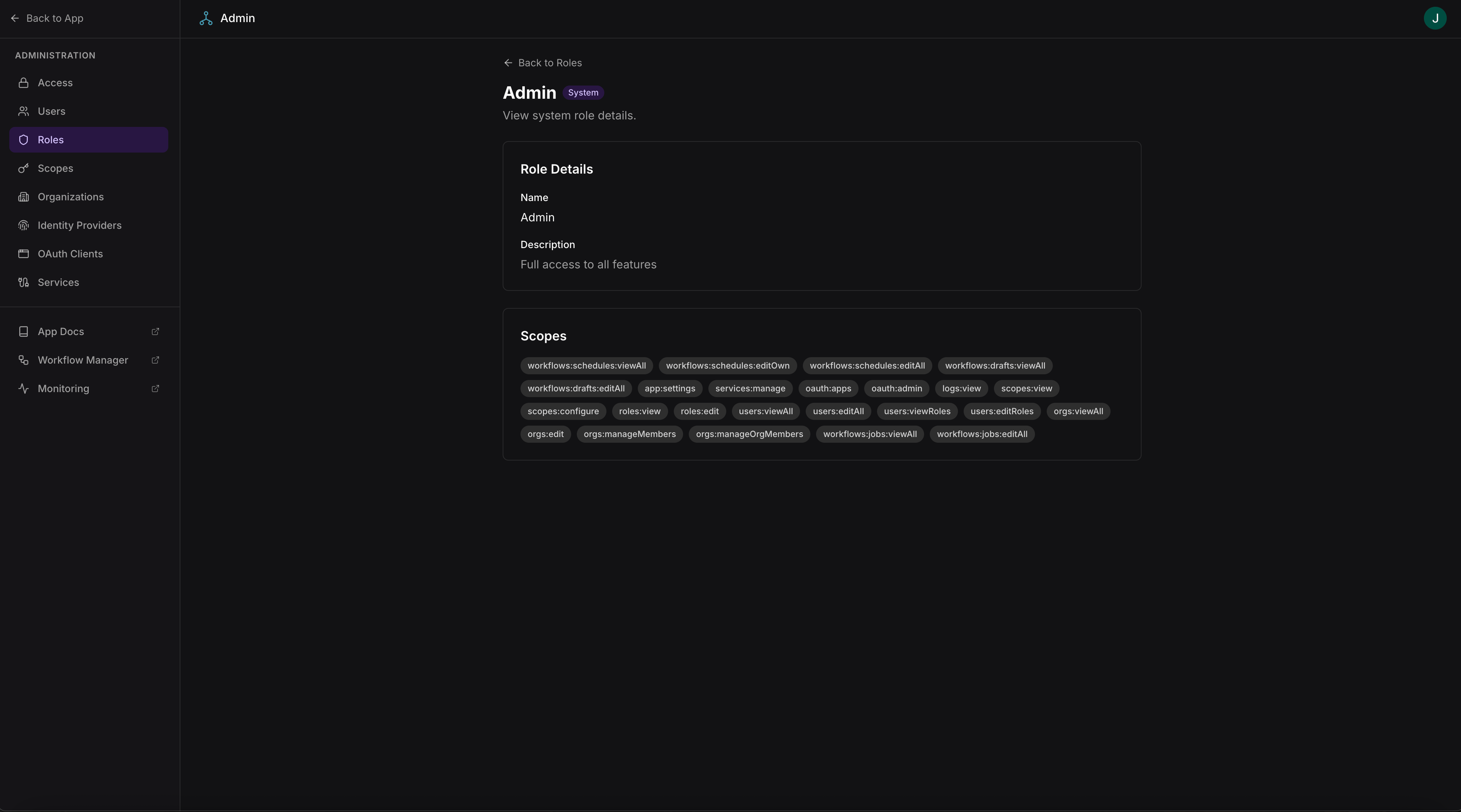
The roles page at `/admin/roles` lists all roles with their assigned scopes.
| Action | Required scope |
| --------------- | --------------- |
| View users | `users:viewAll` |
| Edit user roles | `users:editAll` |
## Roles
The roles page at `/admin/roles` lists all roles with their assigned scopes.
 ### Creating and editing roles
Admins can create new roles at `/admin/roles/new` or edit existing roles at `/admin/roles/:id`. Each role is a named collection of scopes.
### Creating and editing roles
Admins can create new roles at `/admin/roles/new` or edit existing roles at `/admin/roles/:id`. Each role is a named collection of scopes.
 | Action | Required scope |
| ----------------- | -------------- |
| View roles | `roles:view` |
| Create/edit roles | `roles:edit` |
Scopes are defined in `scopes.json` and synced at build time. To add or remove scopes, update `scopes.json` and rebuild the app. Roles are managed at runtime.
## Scopes
The scopes page at `/admin/scopes` lists all scopes defined in the app, showing each scope's name, description, and which roles include it.
| Action | Required scope |
| ----------------- | -------------- |
| View roles | `roles:view` |
| Create/edit roles | `roles:edit` |
Scopes are defined in `scopes.json` and synced at build time. To add or remove scopes, update `scopes.json` and rebuild the app. Roles are managed at runtime.
## Scopes
The scopes page at `/admin/scopes` lists all scopes defined in the app, showing each scope's name, description, and which roles include it.
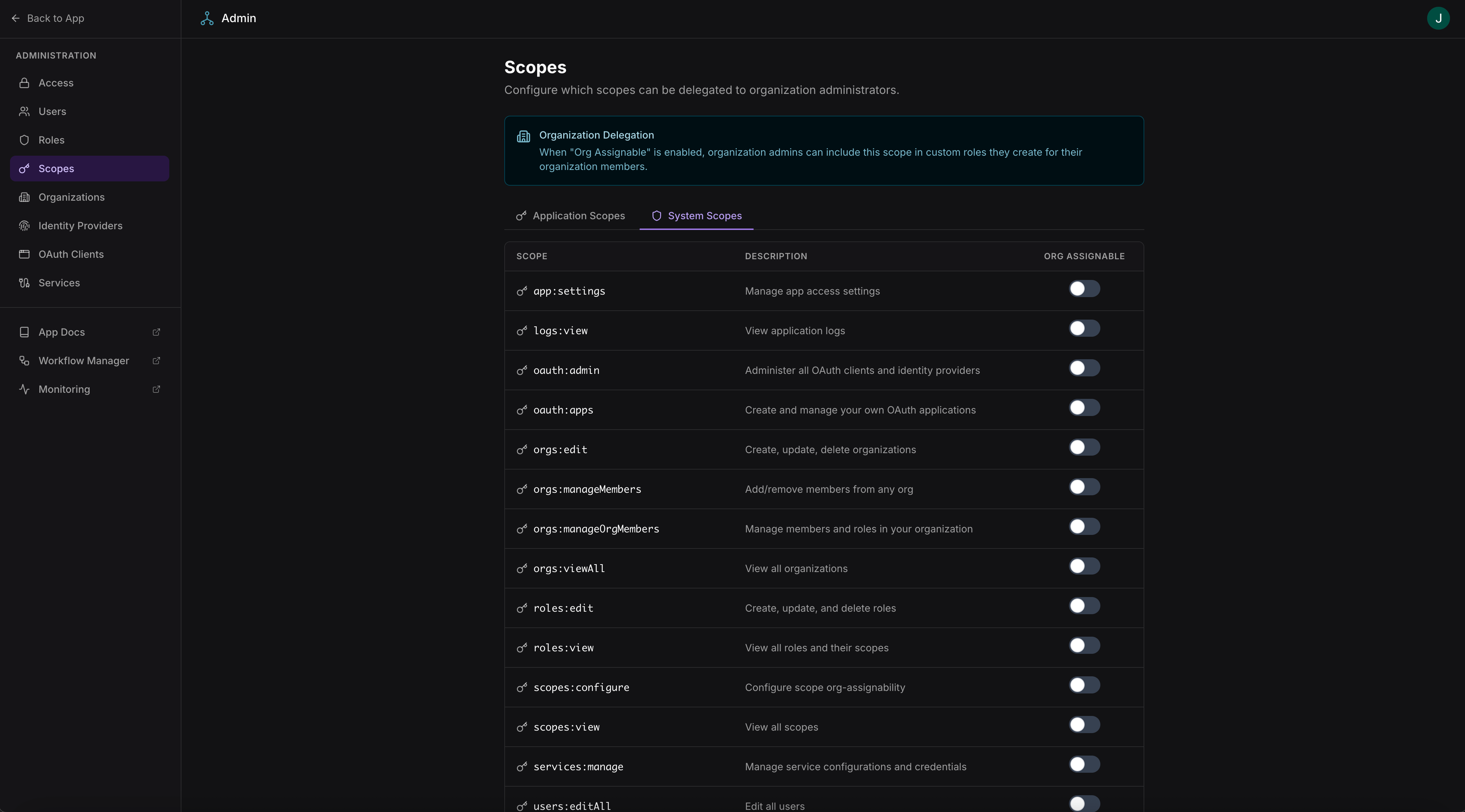 The scopes page shows two categories:
| Category | Source | Examples |
| ------------- | --------------------------------------------------------------- | -------------------------------------------------------------------------------------------- |
| App scopes | Defined in the app's `scopes.json` | `tasks:viewAll`, `reports:edit`, `github:repos:read` |
| System scopes | Provided by the framework automatically for admin functionality | `users:viewAll`, `users:editAll`, `roles:view`, `roles:edit`, `logs:view`, `workflows:admin` |
App scopes control access to the app's own procedures, data, and service integrations. System scopes control access to the built-in admin pages and framework features (user management, role management, monitoring, workflow administration).
Both categories are assigned to roles in the same way. The **Admin** role automatically includes all scopes — both app and system.
Scopes are read-only in the admin UI — they are defined in `scopes.json` (app scopes) or by the framework (system scopes) and synced at build time. See the App Framework scopes and roles documentation for configuration details.
The scopes page shows two categories:
| Category | Source | Examples |
| ------------- | --------------------------------------------------------------- | -------------------------------------------------------------------------------------------- |
| App scopes | Defined in the app's `scopes.json` | `tasks:viewAll`, `reports:edit`, `github:repos:read` |
| System scopes | Provided by the framework automatically for admin functionality | `users:viewAll`, `users:editAll`, `roles:view`, `roles:edit`, `logs:view`, `workflows:admin` |
App scopes control access to the app's own procedures, data, and service integrations. System scopes control access to the built-in admin pages and framework features (user management, role management, monitoring, workflow administration).
Both categories are assigned to roles in the same way. The **Admin** role automatically includes all scopes — both app and system.
Scopes are read-only in the admin UI — they are defined in `scopes.json` (app scopes) or by the framework (system scopes) and synced at build time. See the App Framework scopes and roles documentation for configuration details.