> ## Documentation Index
> Fetch the complete documentation index at: https://synthetiq.com/docs/llms.txt
> Use this file to discover all available pages before exploring further.
# Workflows
> Monitoring workflow executions and job health for deployed Synthetiq apps
## Workflows dashboard
Each app includes a workflows dashboard accessible at:
```
https://{your-app-url}/admin/workflows
```
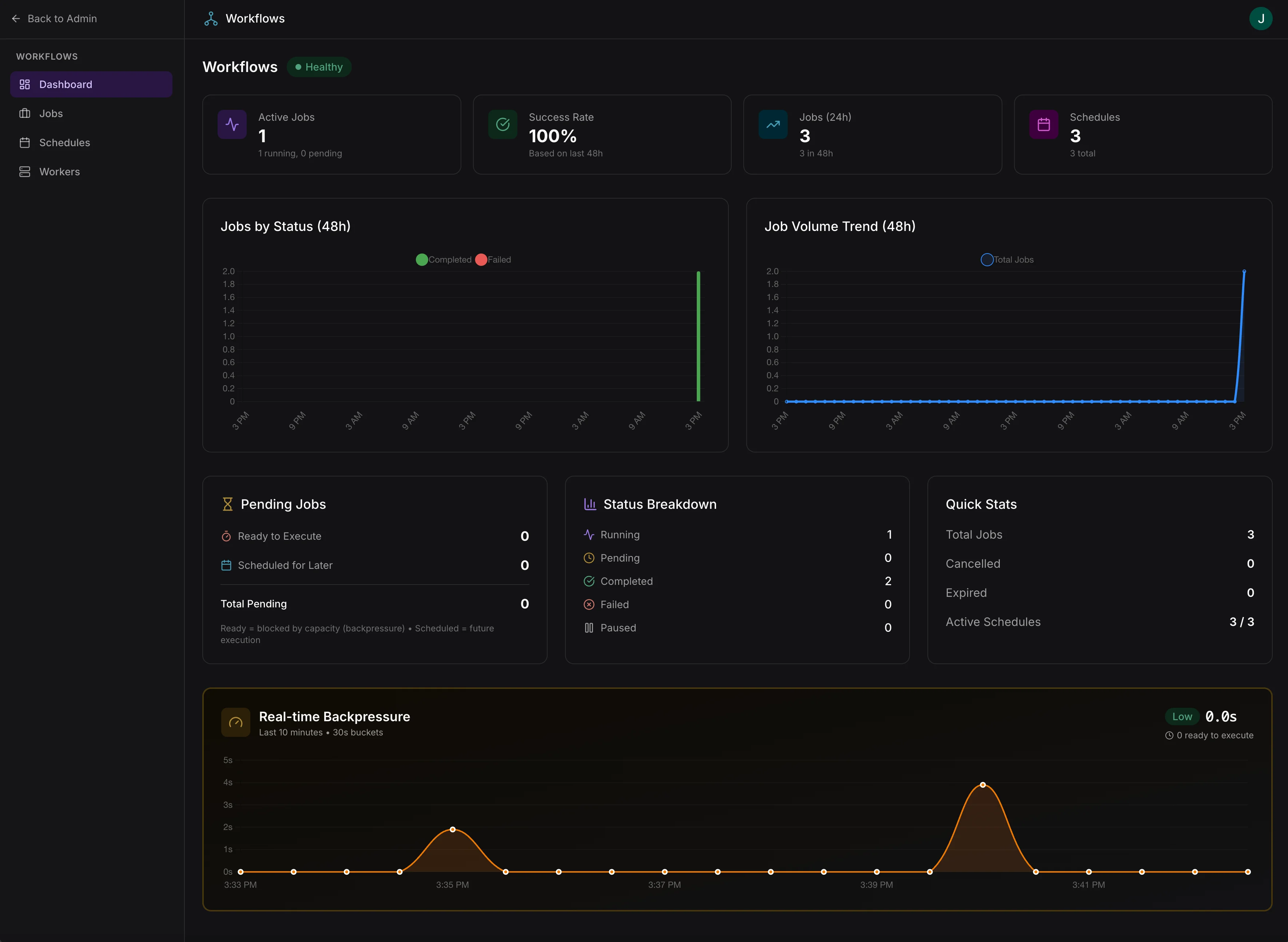 Access requires the `workflows:admin` scope. Assign this scope to admin roles in your app's access control configuration.
### Dashboard overview
* **System health** — overall status (Healthy, Degraded, Idle) based on job success rate and queue pressure
* **Active jobs** — running and pending job counts
* **Success rate** — based on the last 48 hours
* **Job volume** — trend charts for completed and failed jobs
* **Backpressure** — real-time monitoring of queue pressure
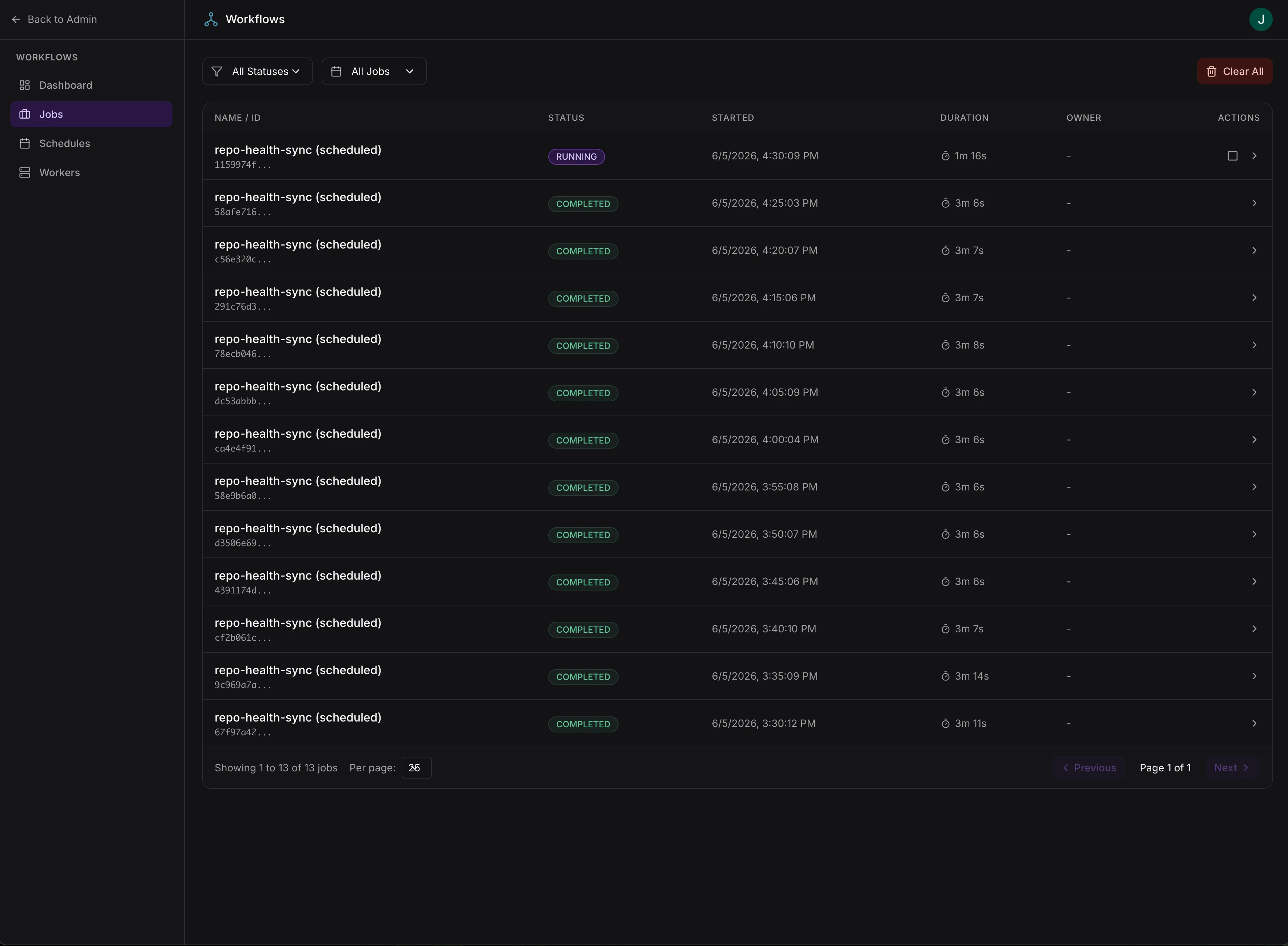
### Job management
* Filter jobs by status (Running, Pending, Completed, Failed, Cancelled, Expired)
* Filter by scheduled vs manually triggered
* Cancel, pause, or resume individual jobs
* Bulk cancel all active jobs
Access requires the `workflows:admin` scope. Assign this scope to admin roles in your app's access control configuration.
### Dashboard overview
* **System health** — overall status (Healthy, Degraded, Idle) based on job success rate and queue pressure
* **Active jobs** — running and pending job counts
* **Success rate** — based on the last 48 hours
* **Job volume** — trend charts for completed and failed jobs
* **Backpressure** — real-time monitoring of queue pressure
### Job management
* Filter jobs by status (Running, Pending, Completed, Failed, Cancelled, Expired)
* Filter by scheduled vs manually triggered
* Cancel, pause, or resume individual jobs
* Bulk cancel all active jobs
 ### Job details
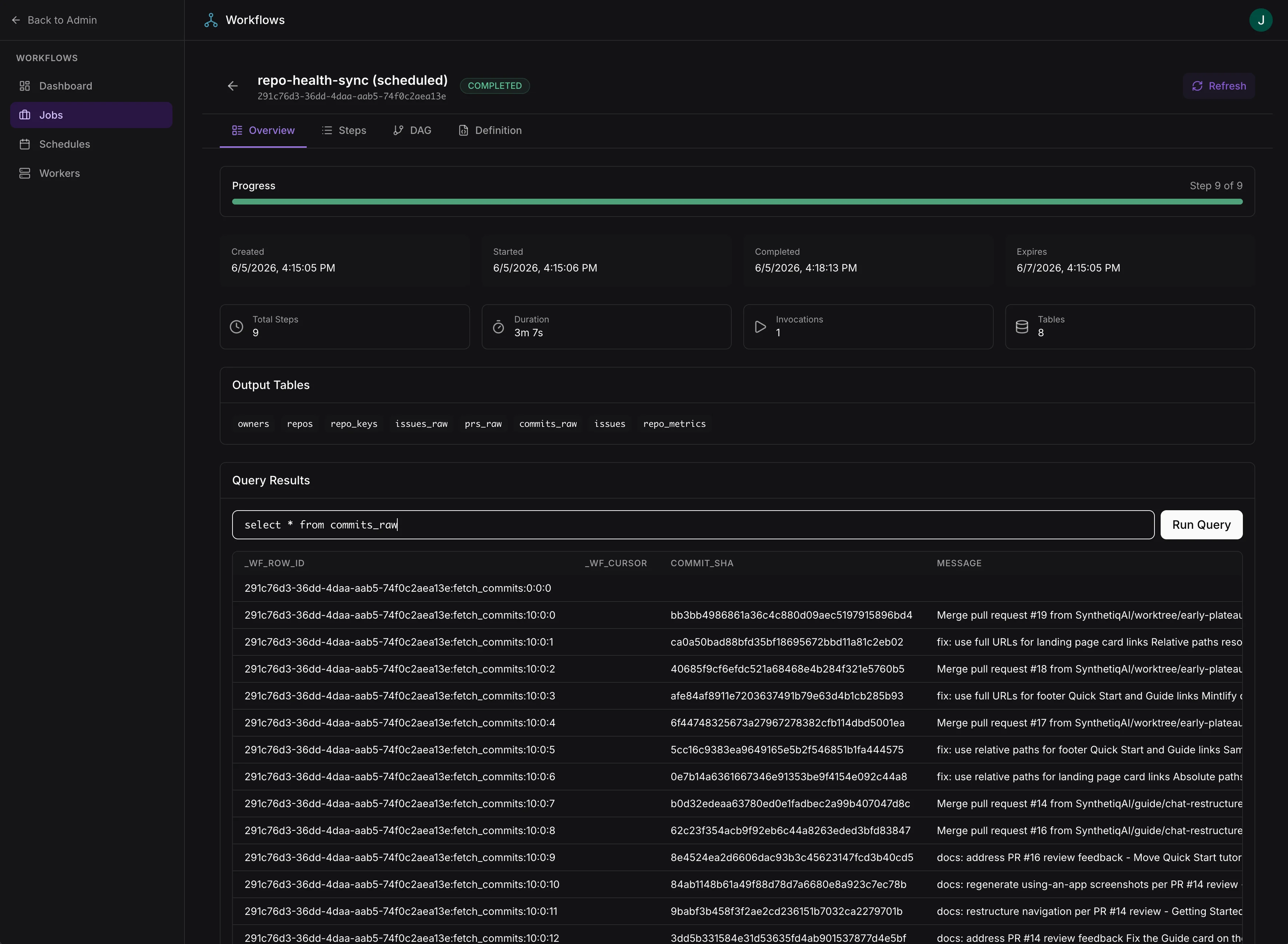
* **Overview** — progress, timing, errors, and output tables with a live SQL query interface for exploring individual step results
* **Steps** — step-by-step execution details including status, timing, retries, and error logs
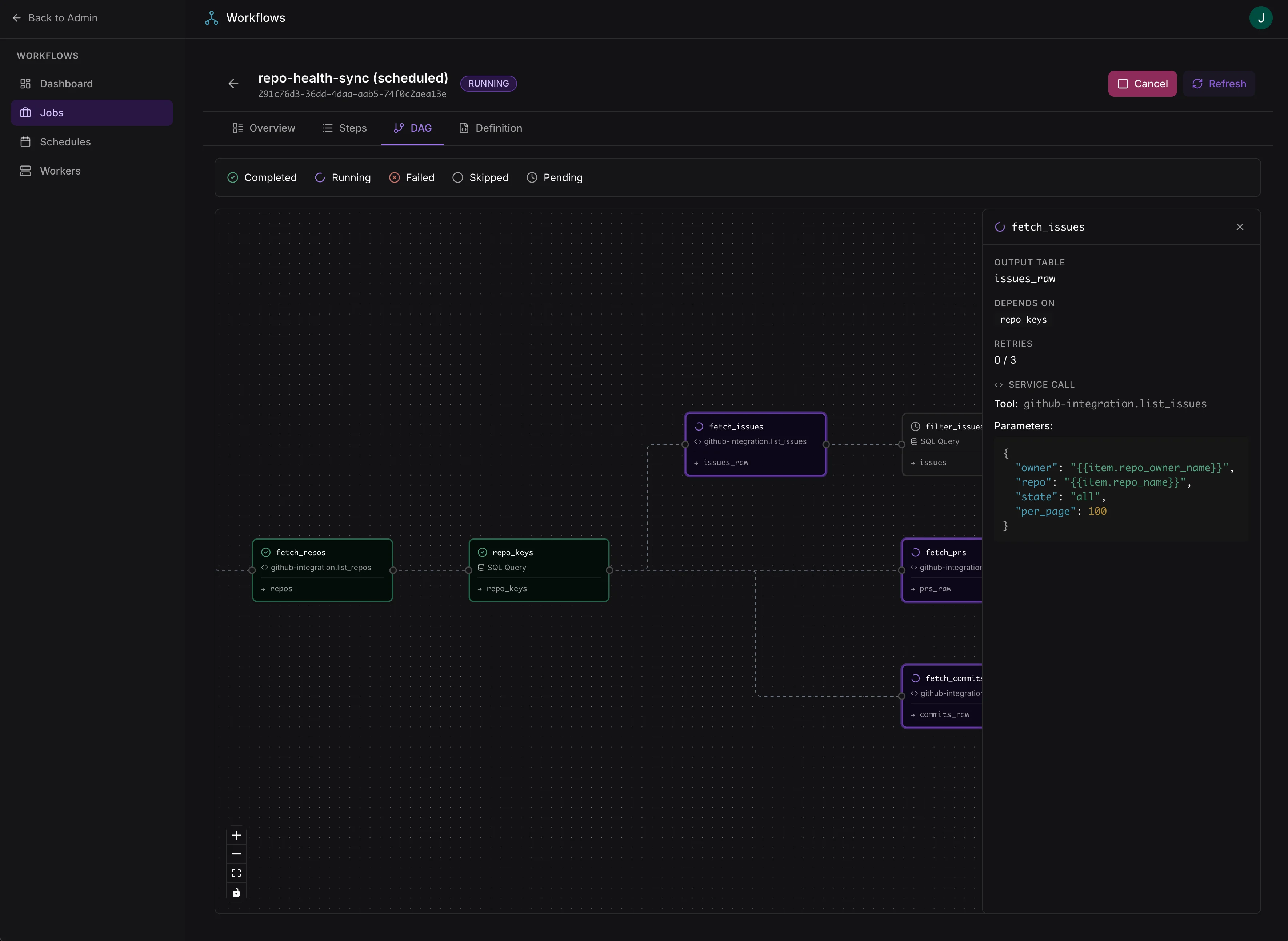
* **DAG** — visual dependency graph of workflow steps
* **Definition** — full workflow definition as JSON
### Job details
* **Overview** — progress, timing, errors, and output tables with a live SQL query interface for exploring individual step results
* **Steps** — step-by-step execution details including status, timing, retries, and error logs
* **DAG** — visual dependency graph of workflow steps
* **Definition** — full workflow definition as JSON
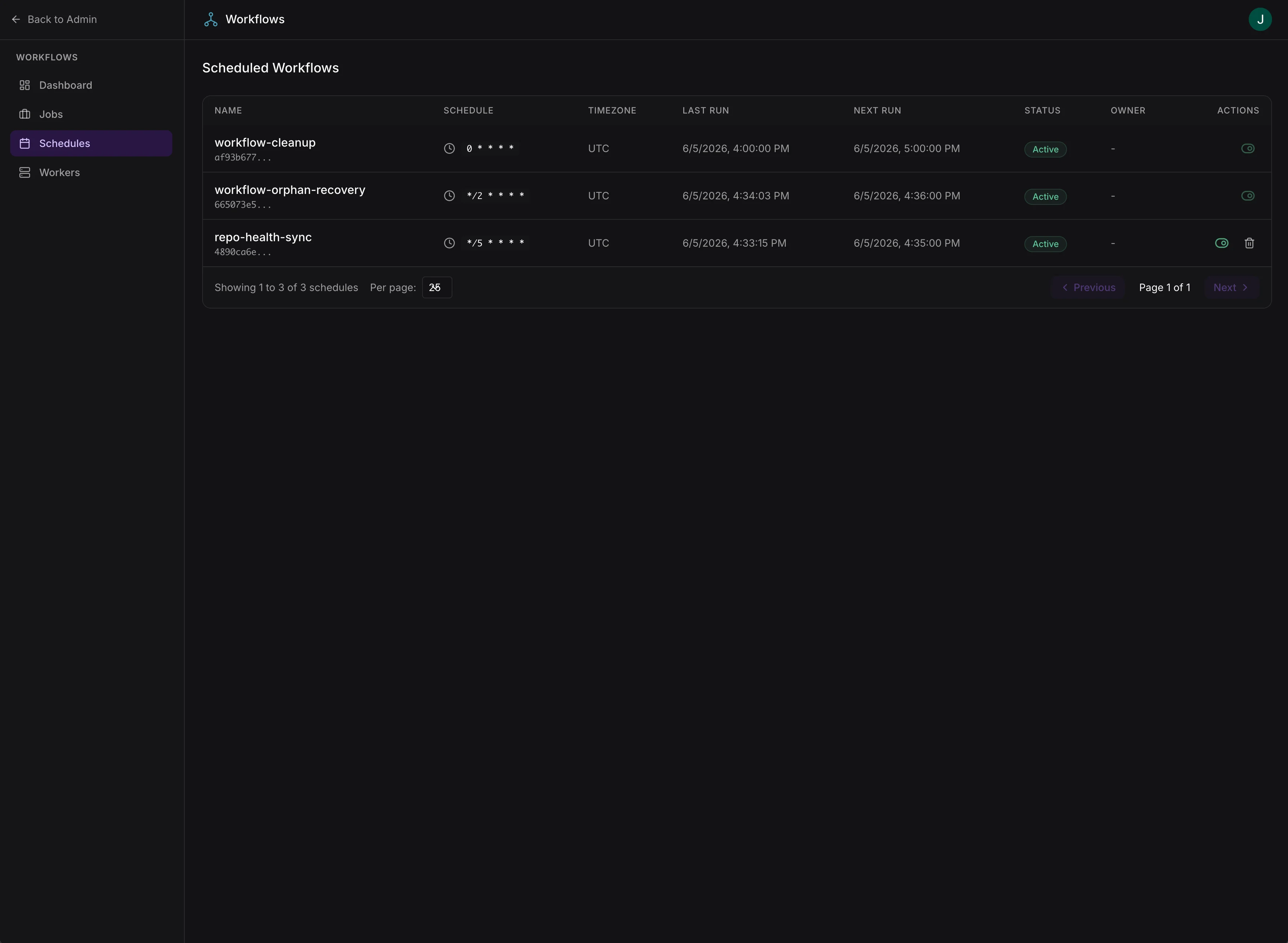
 ### Schedules
* View and manage scheduled workflows
* Enable/disable schedules, modify cron expressions
* Track last run and next run timestamps
### Schedules
* View and manage scheduled workflows
* Enable/disable schedules, modify cron expressions
* Track last run and next run timestamps
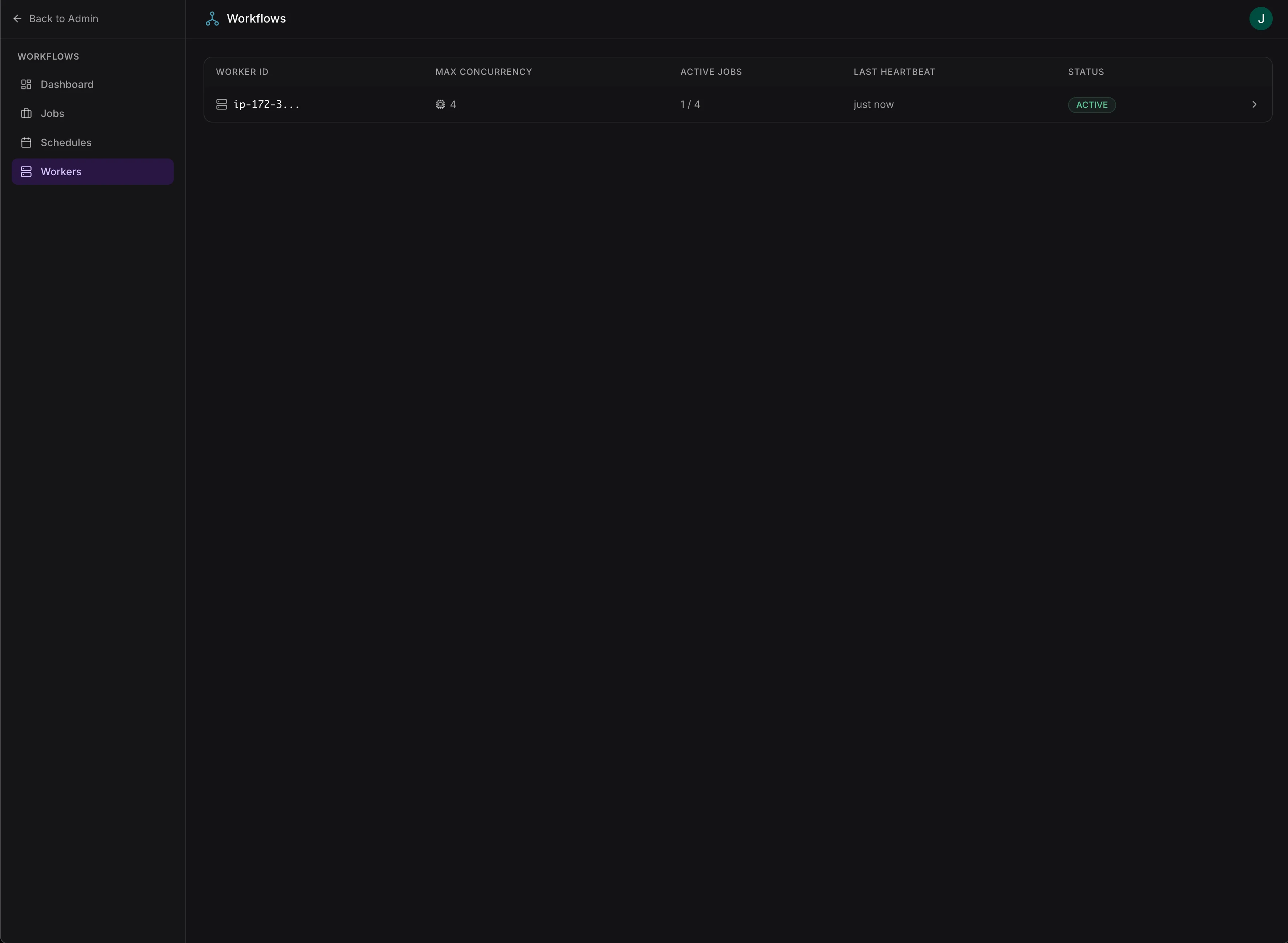
 ### Workers
* View active worker instances and their capacity
* Monitor worker heartbeats
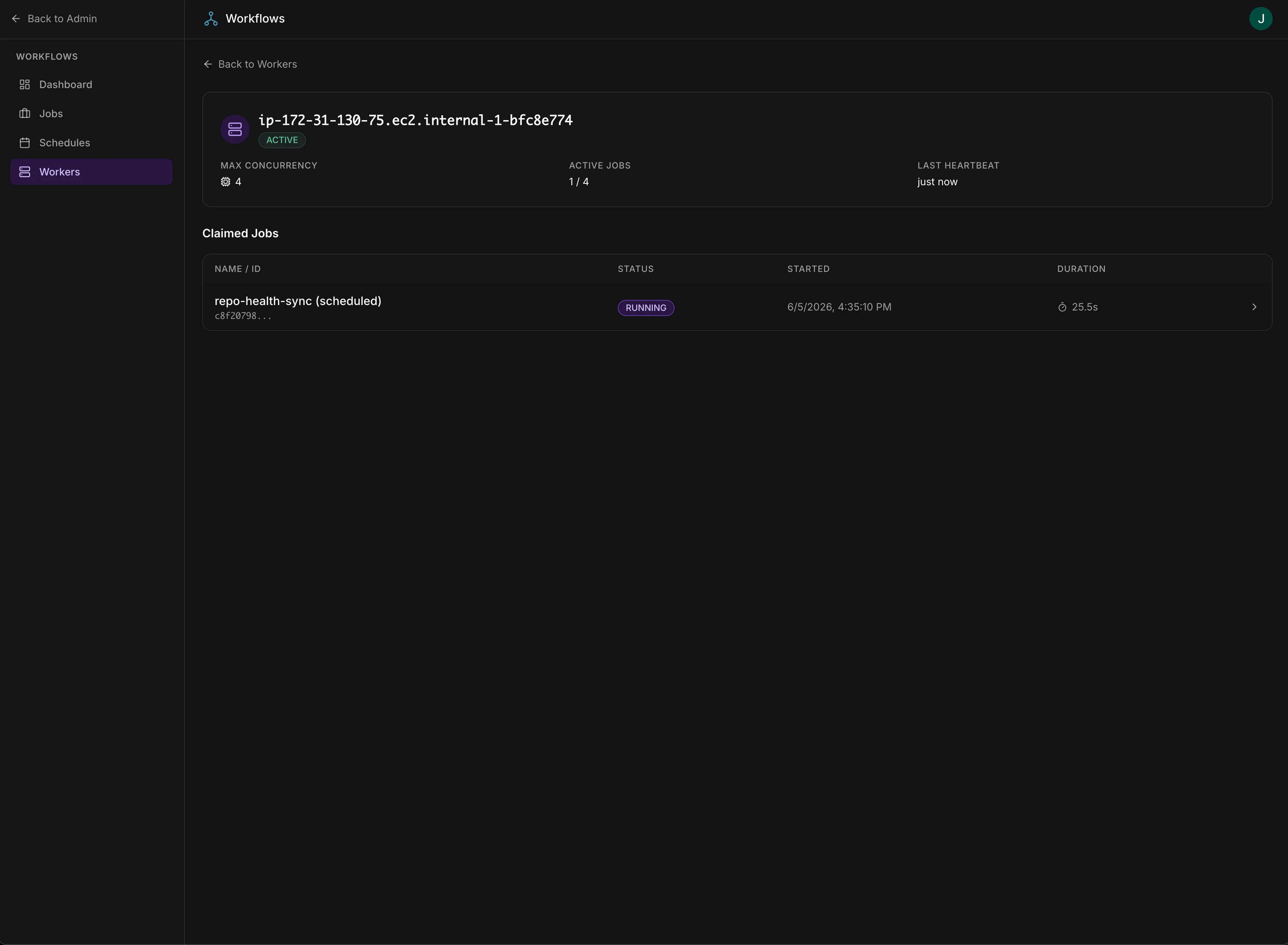
* See which jobs are assigned to each worker
### Workers
* View active worker instances and their capacity
* Monitor worker heartbeats
* See which jobs are assigned to each worker
 ## Observability API
Workflow data is also available programmatically via the app's built-in API. See [Observability API](/docs/platform-docs/deployments/monitoring/observability-api) for available endpoints.
## Observability API
Workflow data is also available programmatically via the app's built-in API. See [Observability API](/docs/platform-docs/deployments/monitoring/observability-api) for available endpoints.