> ## Documentation Index
> Fetch the complete documentation index at: https://synthetiq.com/docs/llms.txt
> Use this file to discover all available pages before exploring further.
# Apps and Services
> A quick introduction to services and apps — the two building blocks you'll use in every Synthetiq workspace.
Everything you build in Synthetiq starts with two building blocks: **services** and **apps**.
 ## Services connect your data
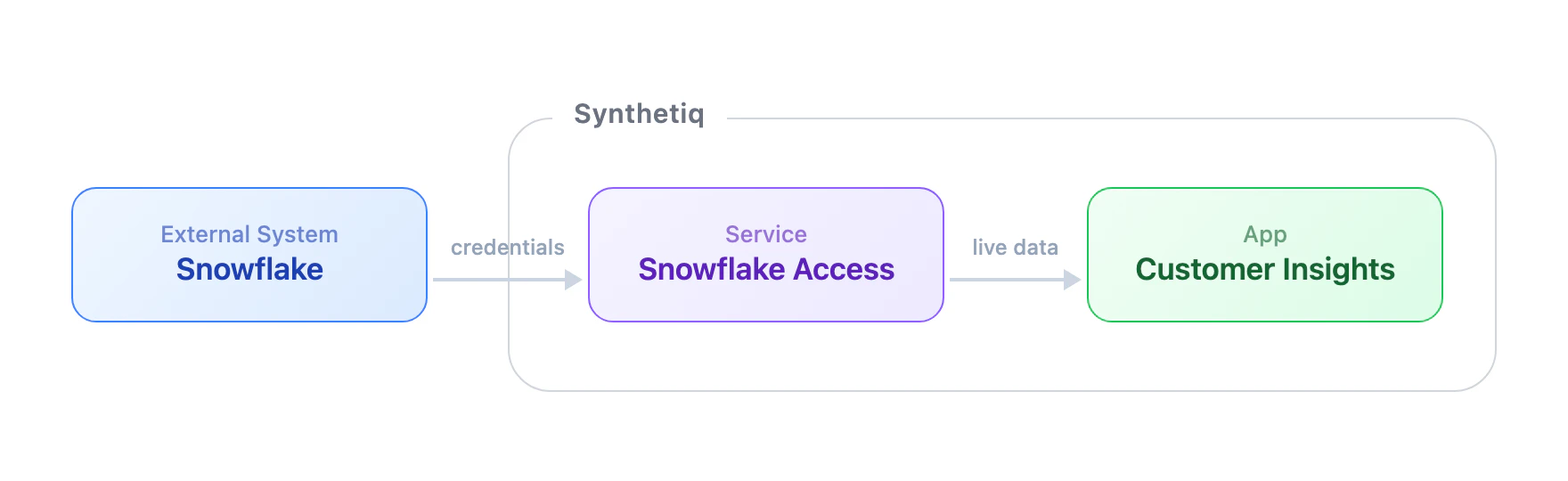
A service is a connection to an external system — a database, a CRM, an API. When you create a service, Synthetiq generates a set of **tools** that let the workspace agent (and any apps you build) interact with that system.
Services don't have a user interface. They're the data layer that powers everything else.
**Example:** A Snowflake service gives your workspace tools like `list_databases`, `execute_query`, and `describe_table` — available in chat and in any app that needs Snowflake data.
## Apps are what people use
An app is a full web application — pages, database, authentication, and API — built by the AppWriter agent from a description you provide in chat.
Apps are interactive. You open them, click around, and get work done. They can pull data from your connected services, so the information stays live.
**Example:** A sales dashboard that queries your Snowflake service for revenue trends and displays them in charts and tables.
## At a glance
| | Service | App |
| --------------------- | ----------------------------------- | -------------------------------- |
| **What it is** | A connection to an external system | A full web application |
| **Has a UI** | No | Yes — pages, forms, dashboards |
| **Has a database** | No — reads from the external system | Yes — its own isolated database |
| **Authentication** | Credentials for the external system | Built-in user auth and roles |
| **Created by** | Service Writer | App Writer |
| **Available in chat** | Yes — tools appear automatically | Yes — through its API |
| **Can be shared** | Yes — via the Discover store | Yes — via the Discover store |
| **Example** | Snowflake connector, Salesforce CRM | Sales dashboard, contact manager |
## Services connect your data
A service is a connection to an external system — a database, a CRM, an API. When you create a service, Synthetiq generates a set of **tools** that let the workspace agent (and any apps you build) interact with that system.
Services don't have a user interface. They're the data layer that powers everything else.
**Example:** A Snowflake service gives your workspace tools like `list_databases`, `execute_query`, and `describe_table` — available in chat and in any app that needs Snowflake data.
## Apps are what people use
An app is a full web application — pages, database, authentication, and API — built by the AppWriter agent from a description you provide in chat.
Apps are interactive. You open them, click around, and get work done. They can pull data from your connected services, so the information stays live.
**Example:** A sales dashboard that queries your Snowflake service for revenue trends and displays them in charts and tables.
## At a glance
| | Service | App |
| --------------------- | ----------------------------------- | -------------------------------- |
| **What it is** | A connection to an external system | A full web application |
| **Has a UI** | No | Yes — pages, forms, dashboards |
| **Has a database** | No — reads from the external system | Yes — its own isolated database |
| **Authentication** | Credentials for the external system | Built-in user auth and roles |
| **Created by** | Service Writer | App Writer |
| **Available in chat** | Yes — tools appear automatically | Yes — through its API |
| **Can be shared** | Yes — via the Discover store | Yes — via the Discover store |
| **Example** | Snowflake connector, Salesforce CRM | Sales dashboard, contact manager |