

Know If a Program Will Lose Money Before You Commit
Build manufacturing cost intelligence on Synthetiq — upload a BOM from Excel and get a hierarchical cost estimate in minutes. Track supplier quotes against your estimates through every revision stage. Manage program gate reviews in the same system where the money lives.
"Where Does This Program Stand Financially?"
Assembling the answer from disconnected systems takes too long, and the data keeps moving while you compile it. BOM in Excel. Cost estimates in another workbook. Supplier quotes in email. Milestones in a Gantt chart. Program deliverables in a shared folder.
What Teams Build
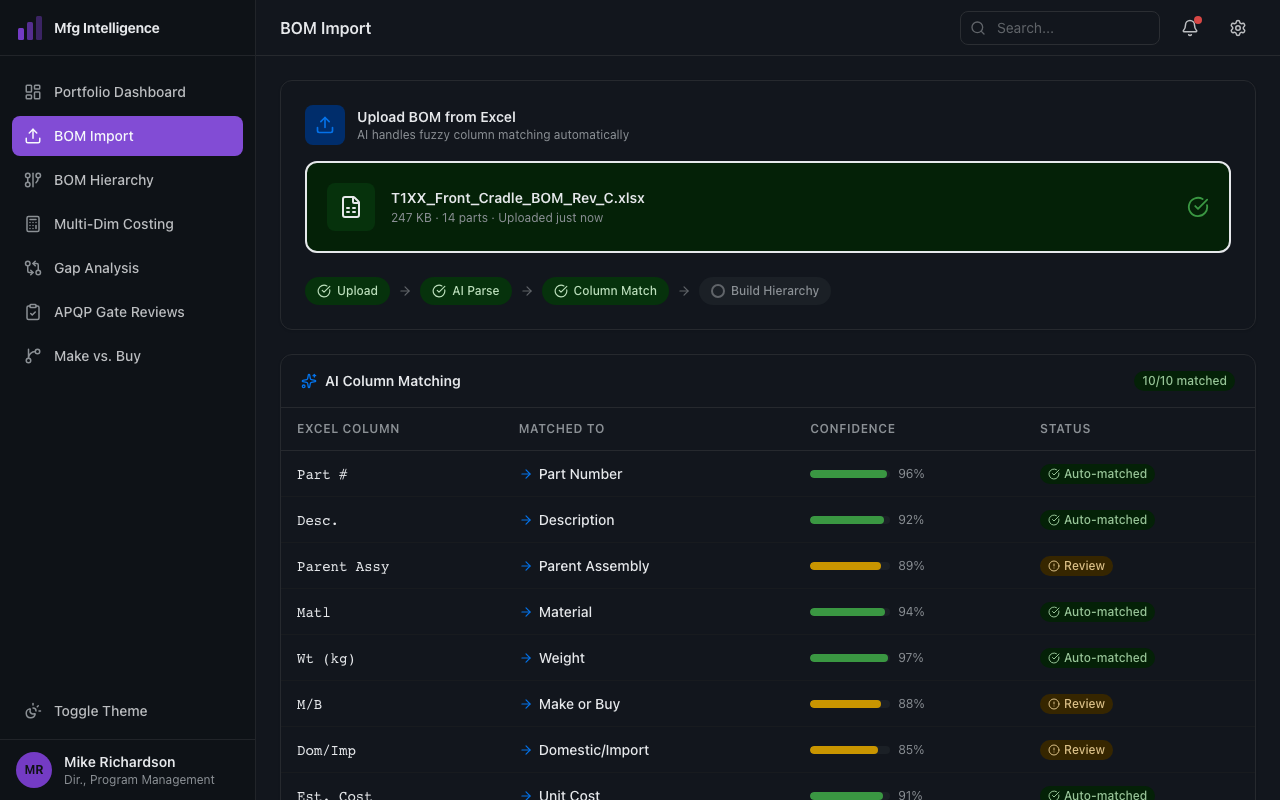
BOM Import from Any Excel
Upload a Bill of Materials and the AI handles fuzzy column matching ("Part Number", "Part #", "PartNo" all work). Builds a hierarchical parent-child tree with interactive visual diagrams in minutes.
Multi-Dimensional Costing
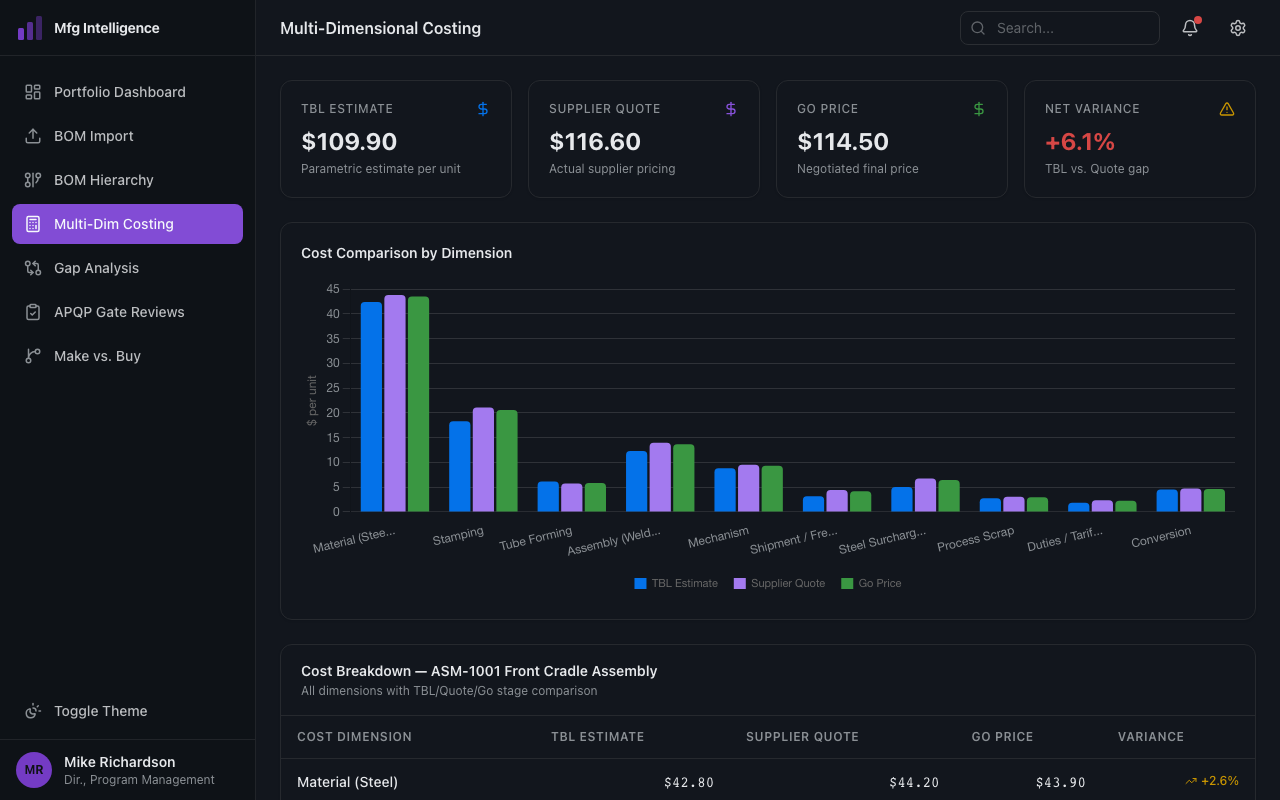
Material, labor, tooling, assembly, logistics, duties, overhead, and configurable cost dimensions specific to your industry. Parametric estimates from your rate tables. AI fills gaps where history is missing.
Estimate vs. Quote Gap Analysis
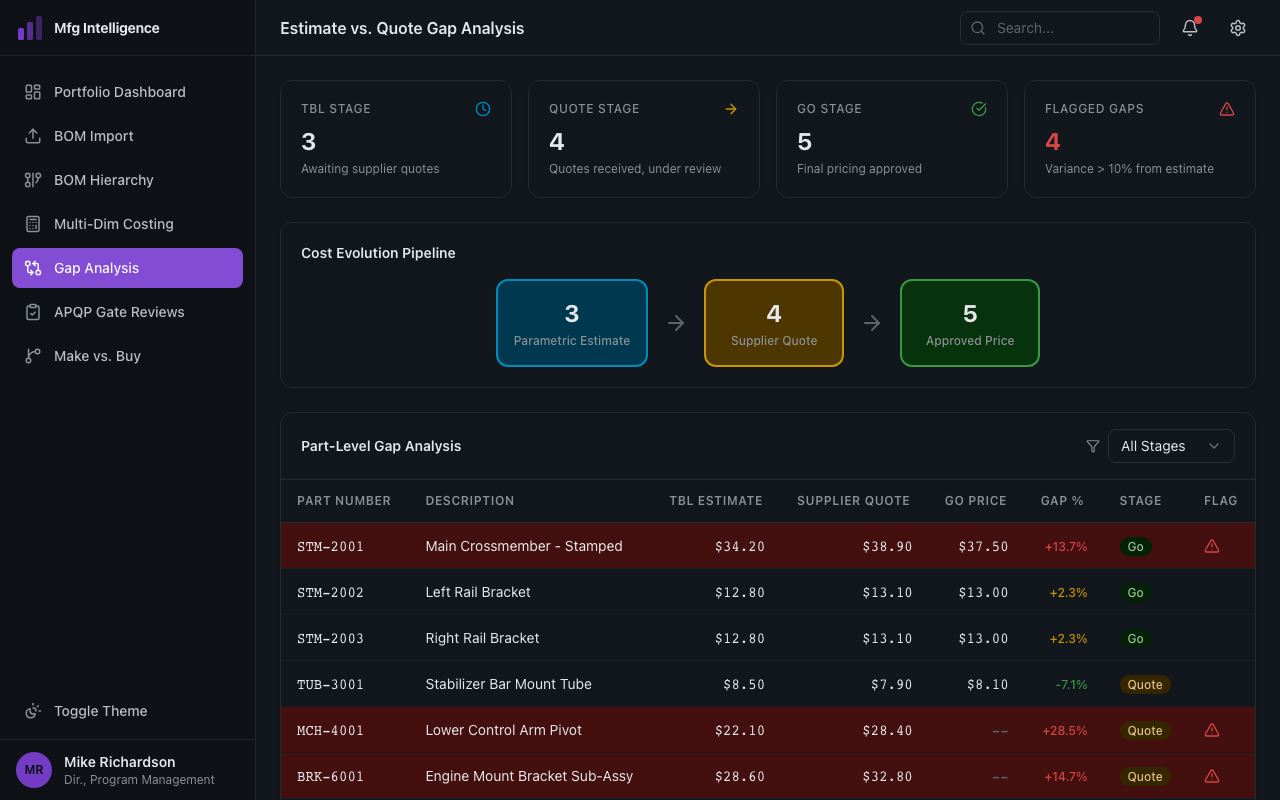
Track cost evolution through estimate, quote, and production stages. Compare your parametric estimate against actual supplier quotes at each stage. Catch gaps before you commit, not after.
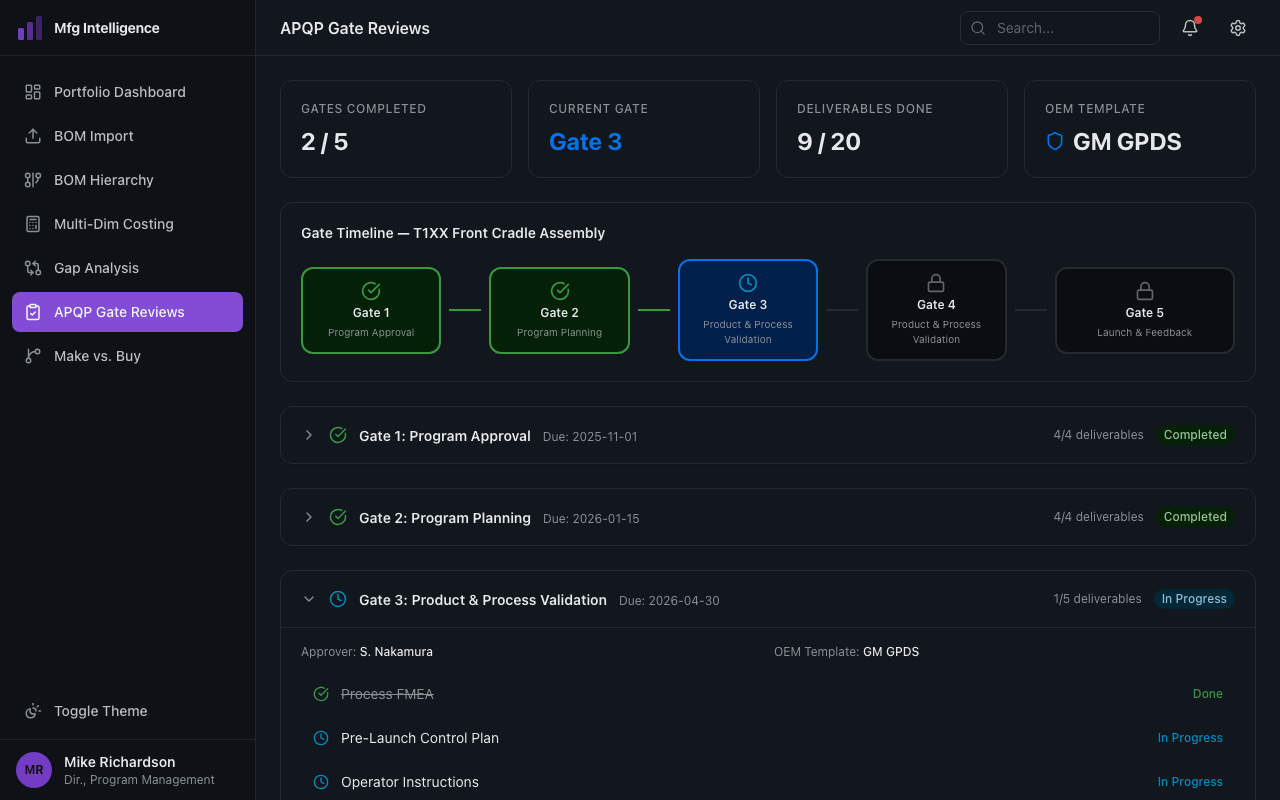
Program Gate Reviews
Configurable gate templates with mandatory deliverable checklists. RAG status with configurable thresholds. Approval workflows for program activation, gate reviews, and budget changes. Full audit trail.
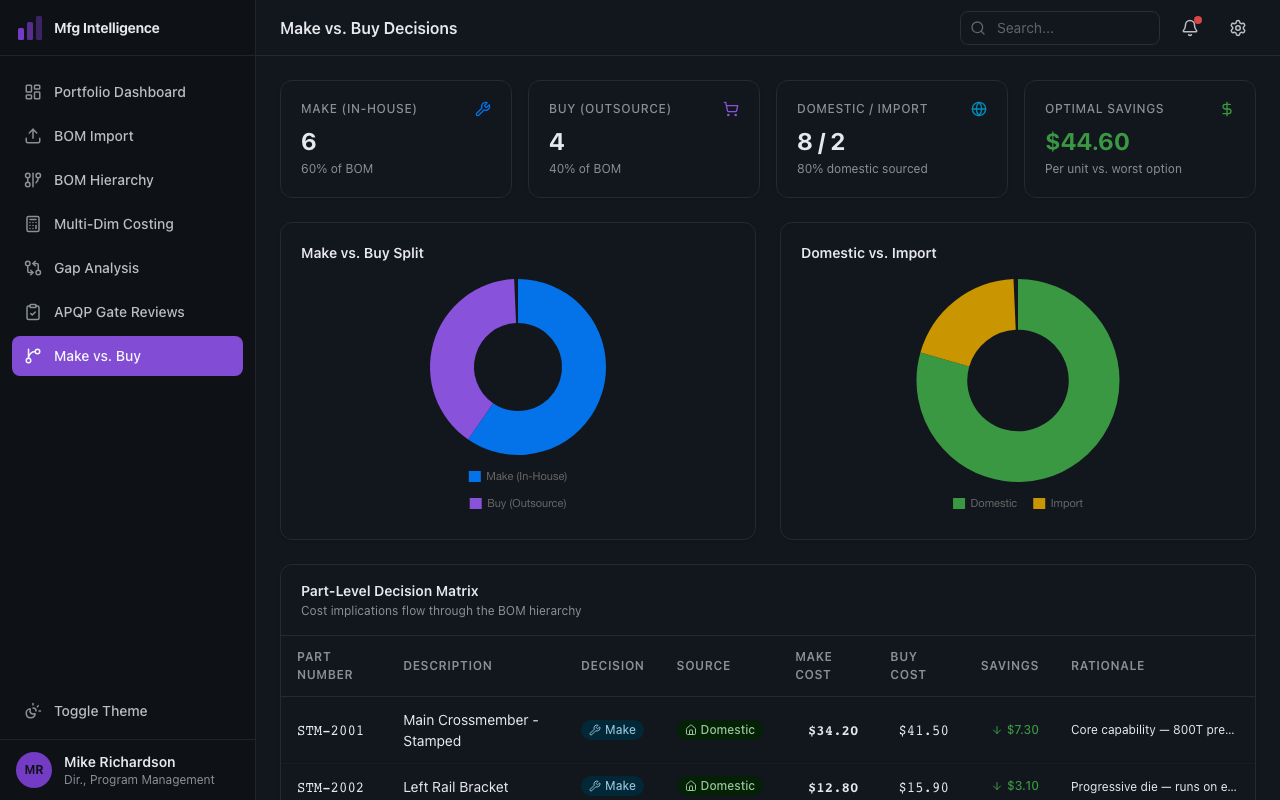
Make vs. Buy at the Part Level
Flag domestic vs. import, in-house vs. outsource decisions on every part. Cost implications flow through the BOM hierarchy. Sourcing decisions backed by data.
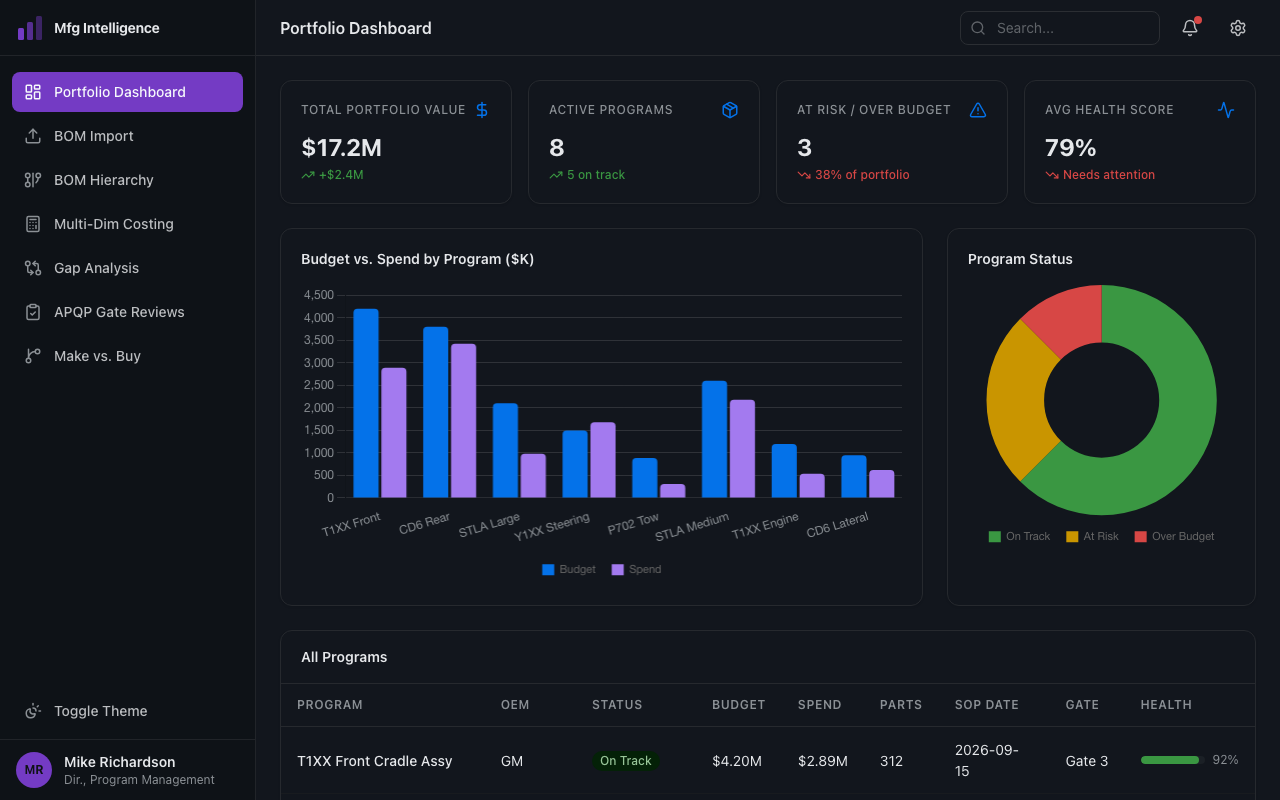
Portfolio View in Real Time
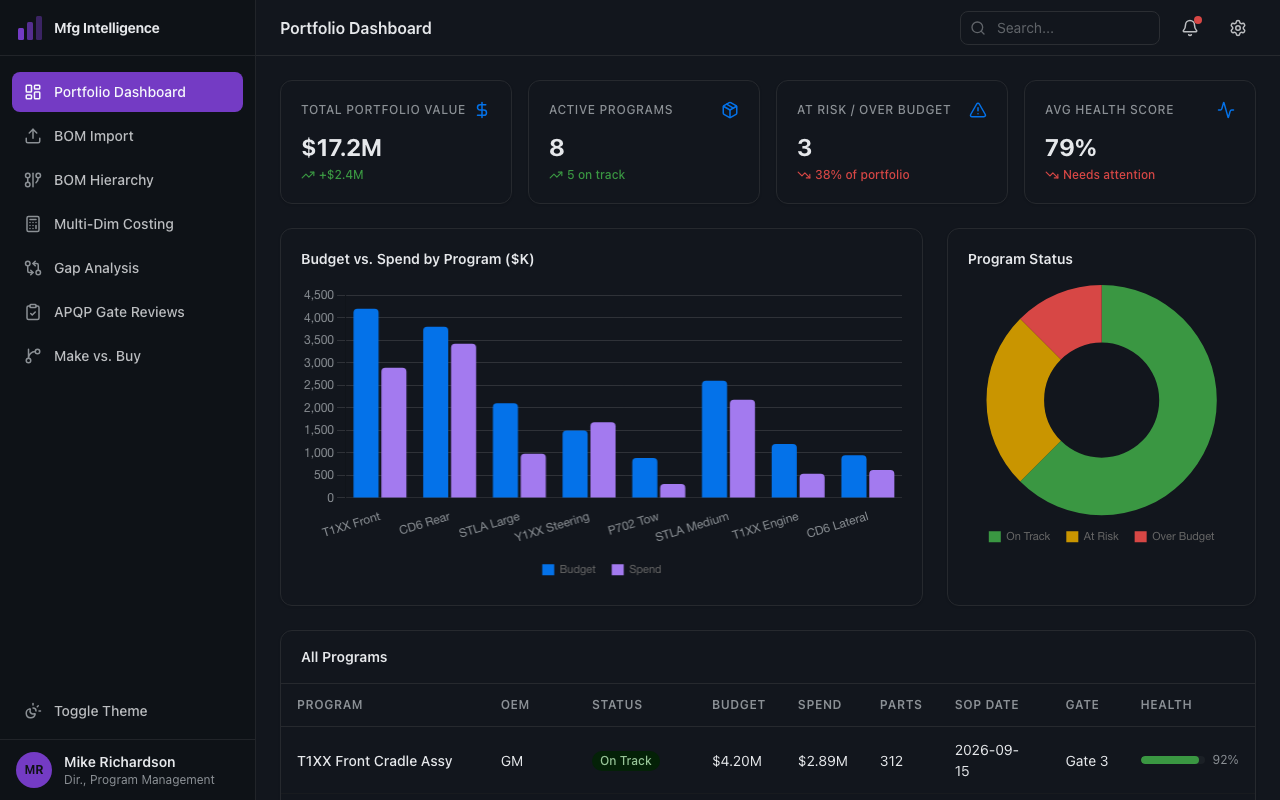
Which programs are on budget? Which are at risk? Where do estimation models need recalibration? One dashboard for the entire portfolio, updated live, not assembled quarterly.
What Teams Build
BOM Import from Any Excel
Upload a Bill of Materials and the AI handles fuzzy column matching ("Part Number", "Part #", "PartNo" all work). Builds a hierarchical parent-child tree with interactive visual diagrams in minutes.
Multi-Dimensional Costing
Material, labor, tooling, assembly, logistics, duties, overhead, and configurable cost dimensions specific to your industry. Parametric estimates from your rate tables. AI fills gaps where history is missing.
Estimate vs. Quote Gap Analysis
Track cost evolution through estimate, quote, and production stages. Compare your parametric estimate against actual supplier quotes at each stage. Catch gaps before you commit, not after.
Program Gate Reviews
Configurable gate templates with mandatory deliverable checklists. RAG status with configurable thresholds. Approval workflows for program activation, gate reviews, and budget changes. Full audit trail.
Make vs. Buy at the Part Level
Flag domestic vs. import, in-house vs. outsource decisions on every part. Cost implications flow through the BOM hierarchy. Sourcing decisions backed by data.
Portfolio View in Real Time
Which programs are on budget? Which are at risk? Where do estimation models need recalibration? One dashboard for the entire portfolio, updated live, not assembled quarterly.
From Excel Upload to Program Control
Upload Your BOM
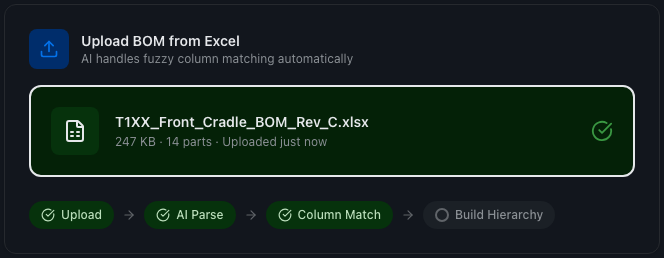
Drop an Excel file. The AI parses headers, builds the hierarchy, flags missing data, and identifies make/buy decisions. Structured BOM in minutes, not days.
Upload Your BOM
Drop an Excel file. The AI parses headers, builds the hierarchy, flags missing data, and identifies make/buy decisions. Structured BOM in minutes, not days.
Get Cost Estimates
Parametric models apply your material rates and process knowledge. Every estimate traceable to its inputs. AI-generated estimates clearly flagged for engineer review.
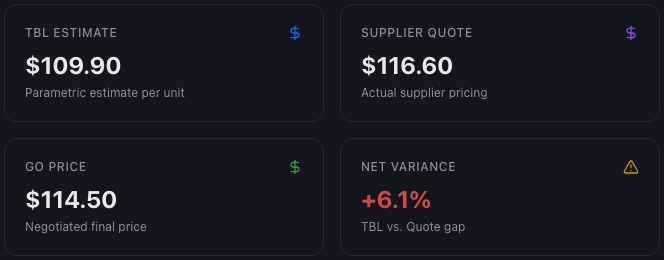
Get Cost Estimates
Parametric models apply your material rates and process knowledge. Every estimate traceable to its inputs. AI-generated estimates clearly flagged for engineer review.
Track Against Reality
As supplier quotes arrive, gap analysis shows where estimates diverge. Program milestones and gate reviews happen in the same system where the costs live.
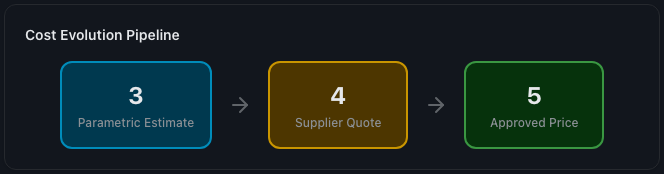
Track Against Reality
As supplier quotes arrive, gap analysis shows where estimates diverge. Program milestones and gate reviews happen in the same system where the costs live.
Answer the Hard Question
"Where does this program stand?" Answered in real time. Cross-program comparison across budget, schedule, and quality. Leadership gets answers directly from the system.
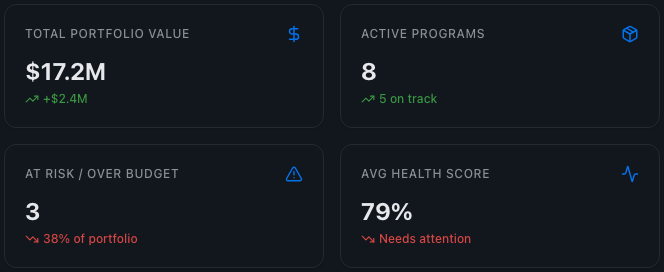
Answer the Hard Question
"Where does this program stand?" Answered in real time. Cross-program comparison across budget, schedule, and quality. Leadership gets answers directly from the system.
Upload a BOM. See It in Action.
We'll help you upload a real BOM, build the part hierarchy, and estimate costs in your first working session.
Request a Demo