
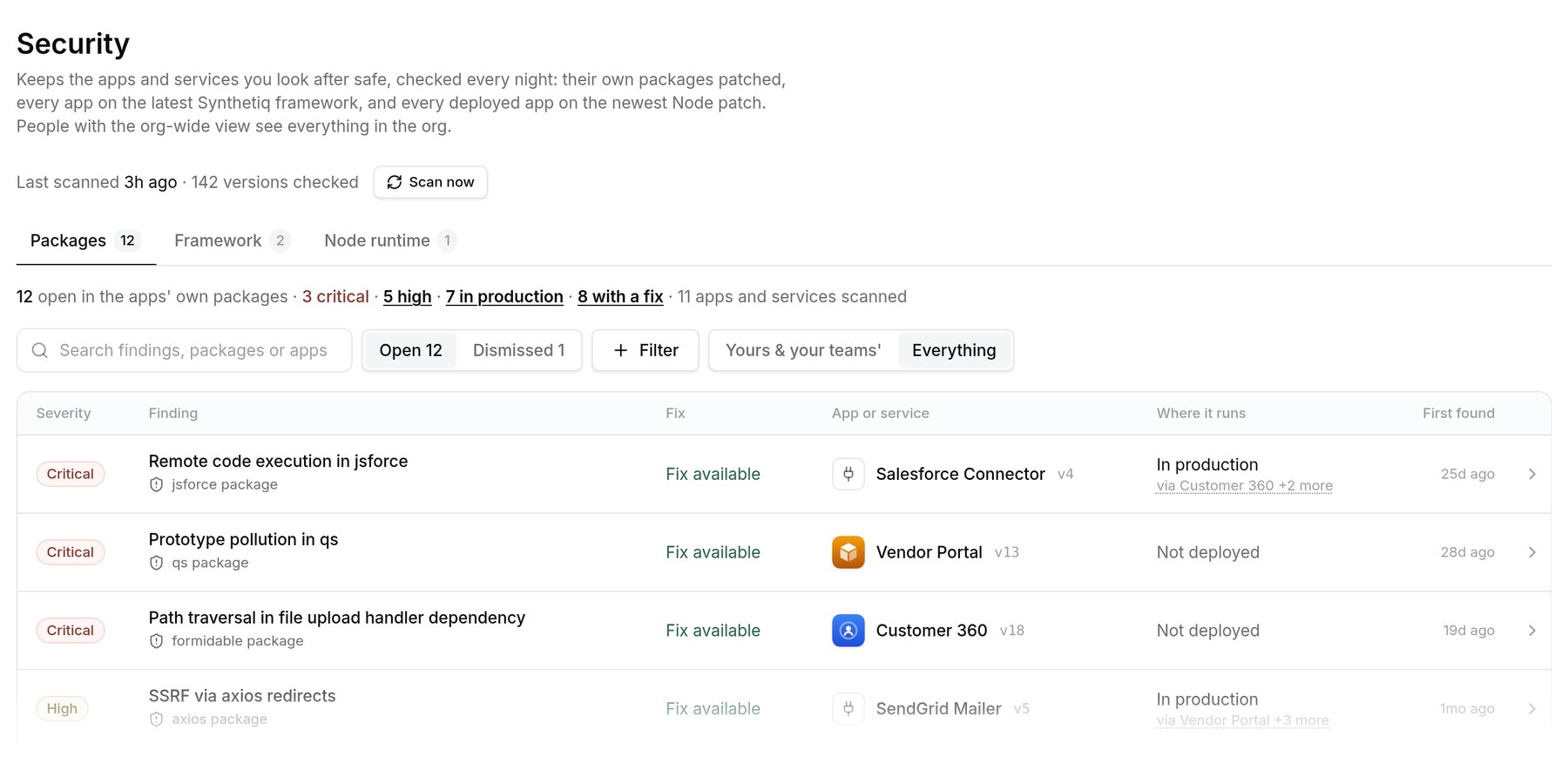
Security › Packages: open findings by severity, fix and where they run.
What the scan checks
A scan covers every app version deployed to any environment, every service version those apps bundle, and the active and latest version of each app and service. Each gets three checks:
Published versions never change, so the scan reads each lockfile once and rechecks it against OSV every run. A scan that makes no progress for six hours counts as failed.
Where the scan runs
The scan runs inside the Console on Synthetiq, from the lockfile stored with each version. Nothing runs in your AWS account, and package findings cover a version whether it runs in Synthetiq’s AWS account or yours. The exception is Node runtime: the Console can only read Node versions in Synthetiq’s AWS account, so apps in yours show Not visible.Findings
A finding is one package advisory in one app or service. Each one shows:- Severity, from the advisory. A malicious package is always critical, and an unrated one counts as medium.
- Fix: the fixed version, if there is one.
- Where it runs: the most exposed affected version (In production, Preview or Not deployed), linked to each environment.
- Who brings it in: the app’s own dependencies, Synthetiq’s libraries or the app’s starting template. Build-only packages are listed last as Build tools only.
- When it was first found and last scanned. Service findings also list the apps that bundle the service.
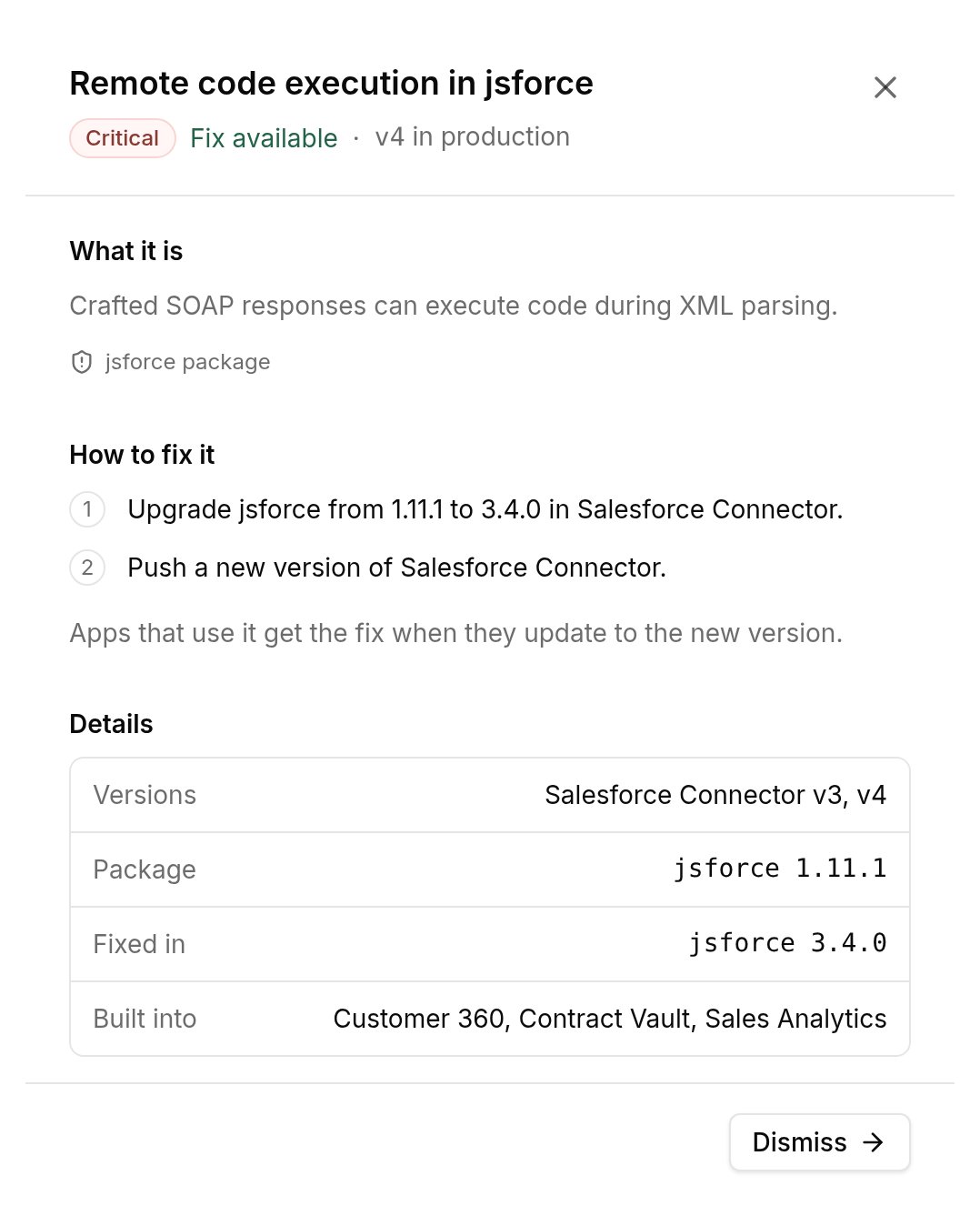
A finding opened: what it is, how to fix it, and which apps it's built into.
Framework and Node runtime
Framework shows each app’s release, how far behind it is and since when, and vulnerabilities only Synthetiq’s libraries bring in. By advisory lists each advisory with the first release that doesn’t have it.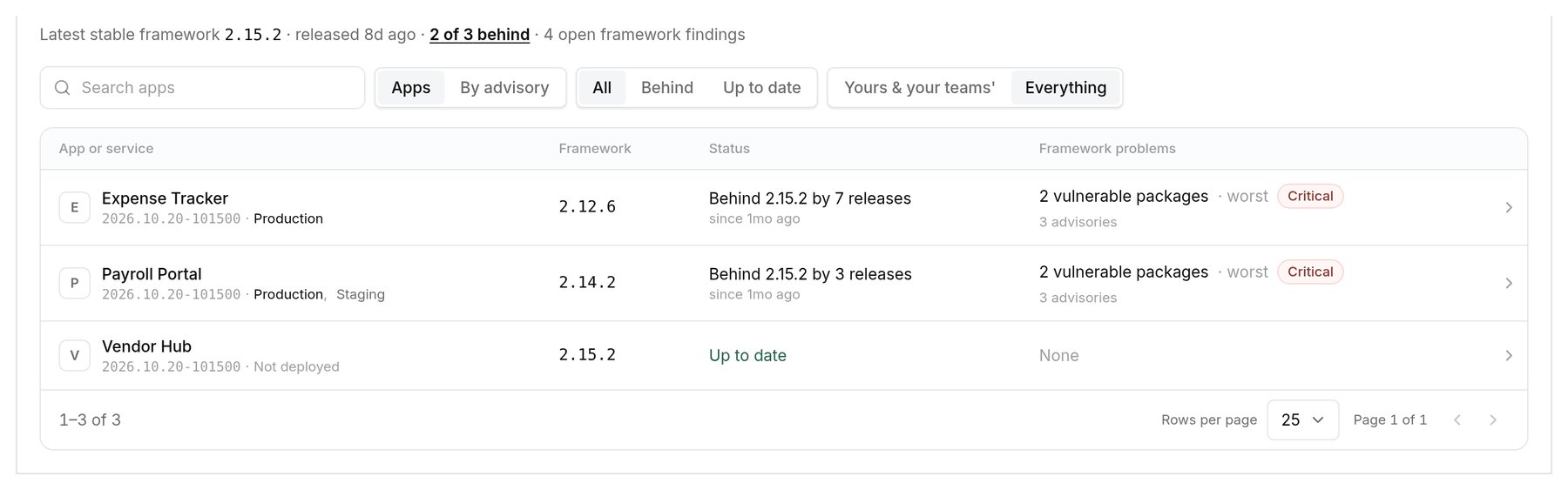
Security › Framework: each app's release against the latest stable one.
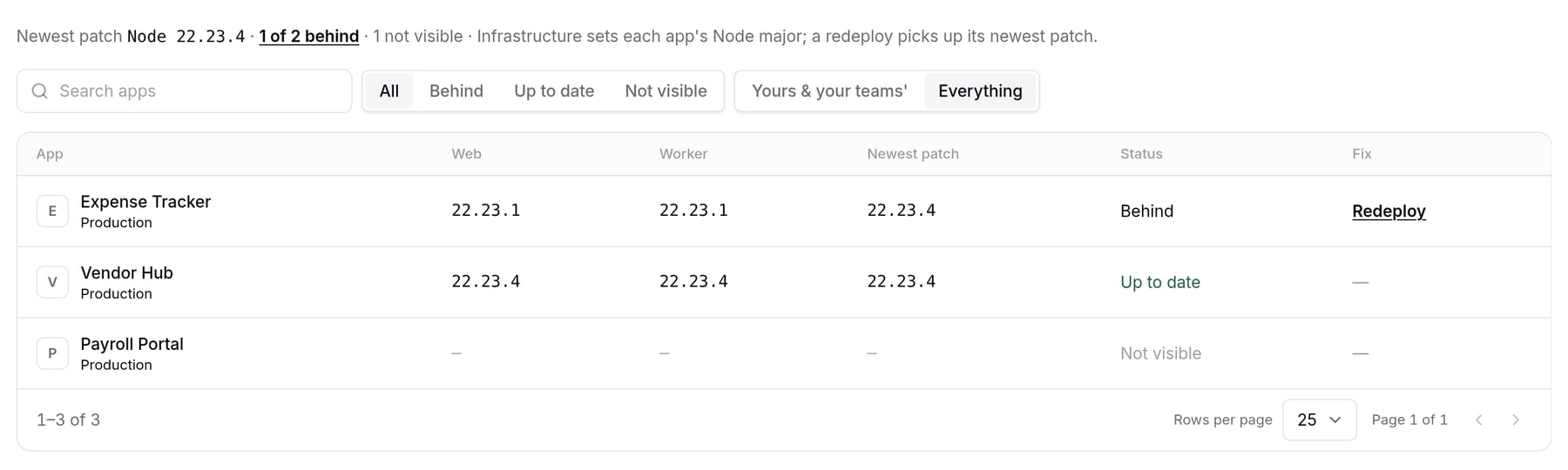
Security › Node runtime: one app needs a redeploy; one runs outside Synthetiq's AWS account, so its version isn't visible.
How fixes ship
The Console doesn’t change code. It gives the app’s owners fix steps: upgrade the package and publish a new version; for an older release, update Synthetiq’s libraries, refresh dependencies and publish; for an old Node runtime, redeploy. New versions go through review like any change before you deploy them. When a service publishes a fix, apps that bundle it get it when they update to that service version.Dismiss a finding
Open the finding, select Dismiss and pick a reason:
A note is required and shown to anyone who opens the finding later, along with who dismissed it and when. You can dismiss the same package and advisory across every app in the organization at once.
A dismissed finding leaves the open list and counts until its severity rises above what it was, or an accepted risk hits its review date. Dismissed lists them, and Reopen brings one back.

Security › Dismissed: an accepted risk with its reason, who accepted it and when it reopens.
Who can do what
Everyone sees findings for the apps and services they contribute to or their teams own. People with the organization-wide view (audit:read) can switch to Everything, run Scan now, and dismiss or reopen findings.