

A running app
An app’s page shows one environment at a time; pick it at the top right.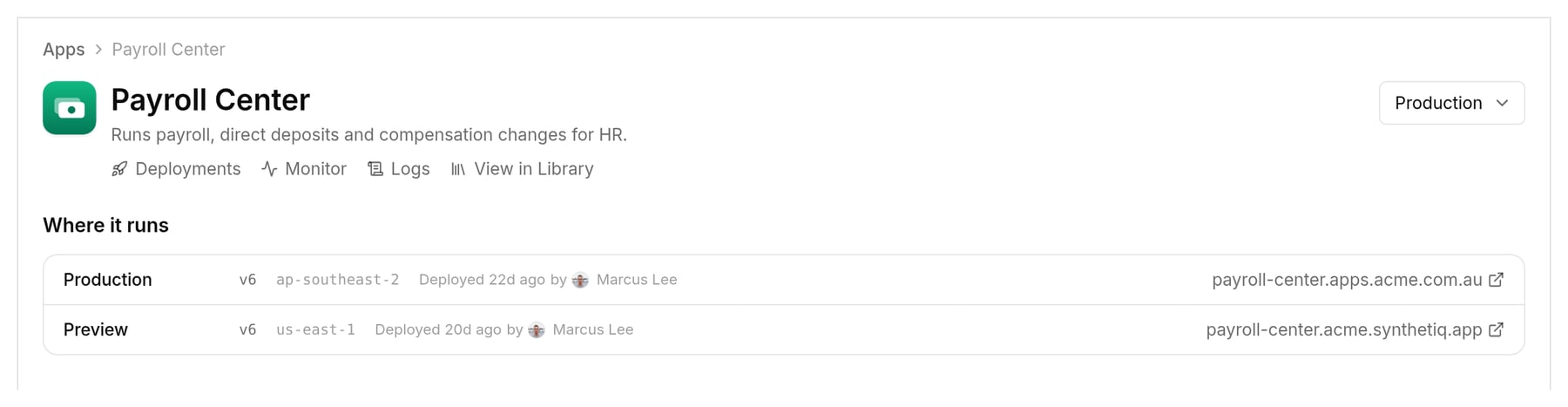
Production runs in ap-southeast-2 (Sydney) and Preview in us-east-1.
Where an app runs
An app runs in the region of the deploy target it’s deployed to. For another region, set up a target there and deploy to it from Deployments. Infrastructure lists your targets with AWS account, region and provisioning status; Environments lists the environments.Tear down an app
A teardown takes the app offline in one environment and starts removing that deployment’s infrastructure. Start it from the Danger zone at the bottom of the app’s page, which only the app’s contributors, owning team and admins (governance:manage or org:settings) see.
1
Check what goes offline
Select Tear down…, review the environment, address, running version, hosting and last deploy, tick that you understand, and select Continue.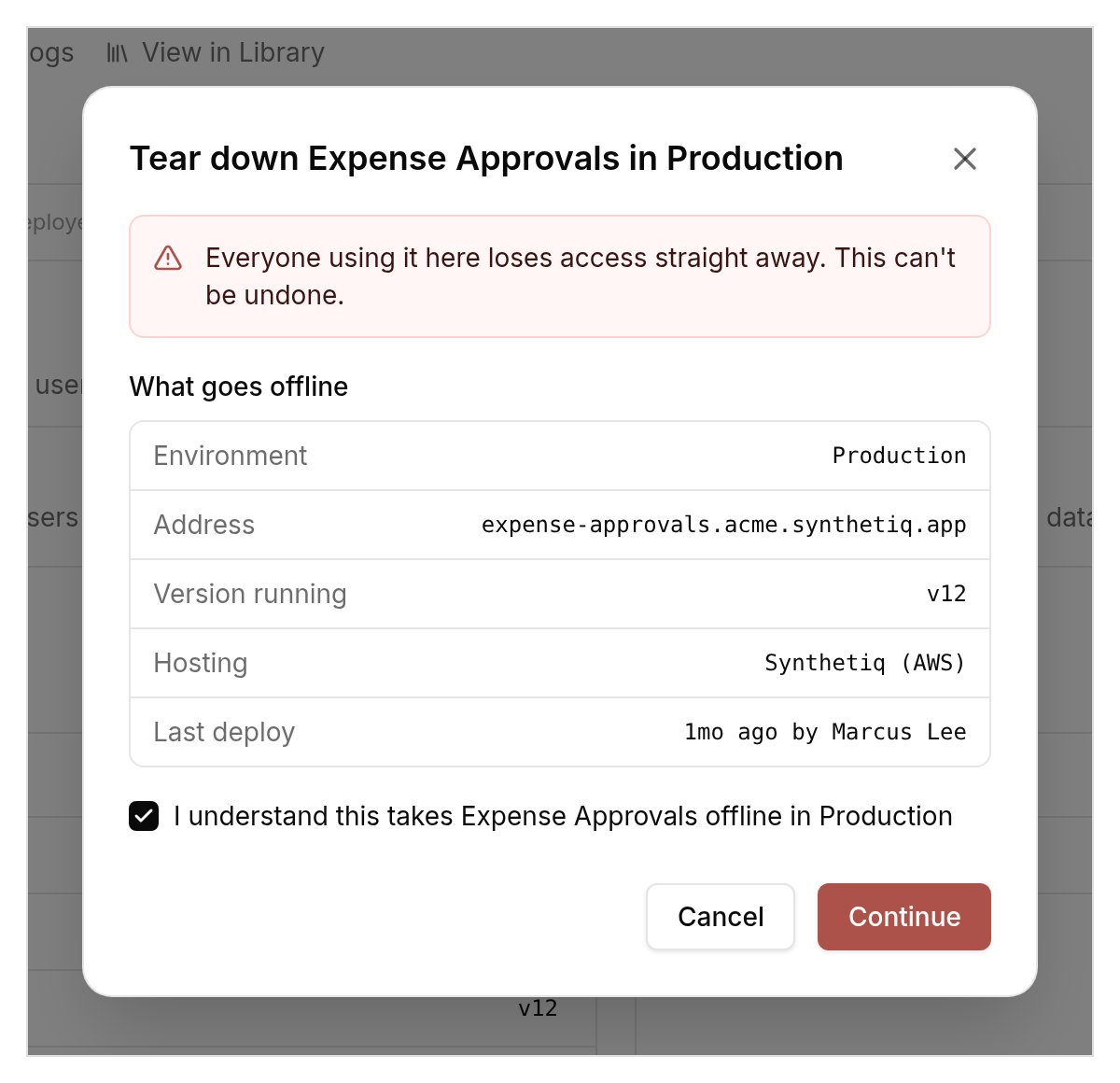
2
Give a reason and confirm
Give a reason of at least 10 characters, type the app’s name and select Tear down.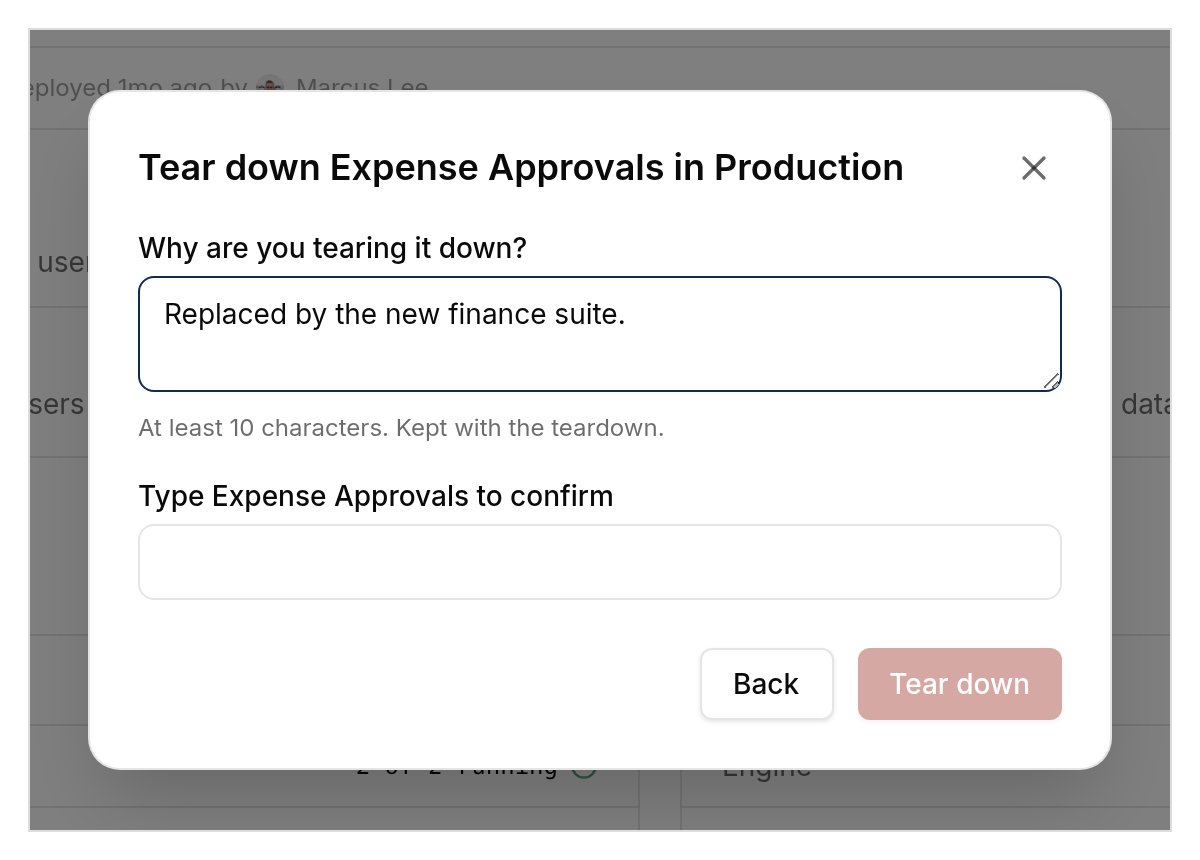
synthetiq production-app delete.