Every deployed app acts as an OAuth 2.0 provider. External applications — HTTP API clients, MCP-compatible AI tools, and custom integrations — can authenticate users and consume the app’s API through OAuth connections.

What OAuth connections enable

Access methodDescription
HTTP APIExternal applications and Synthetiq services call the app’s auto-generated HTTP endpoints with an OAuth access token
MCP serverAI tools like Claude Desktop, Cursor, and other MCP-compatible clients connect to the app’s MCP server to call procedures as tools
All requests through OAuth connections go through the same authentication, scope enforcement, and RLS middleware as requests from the app’s own frontend.

Admin: managing OAuth clients

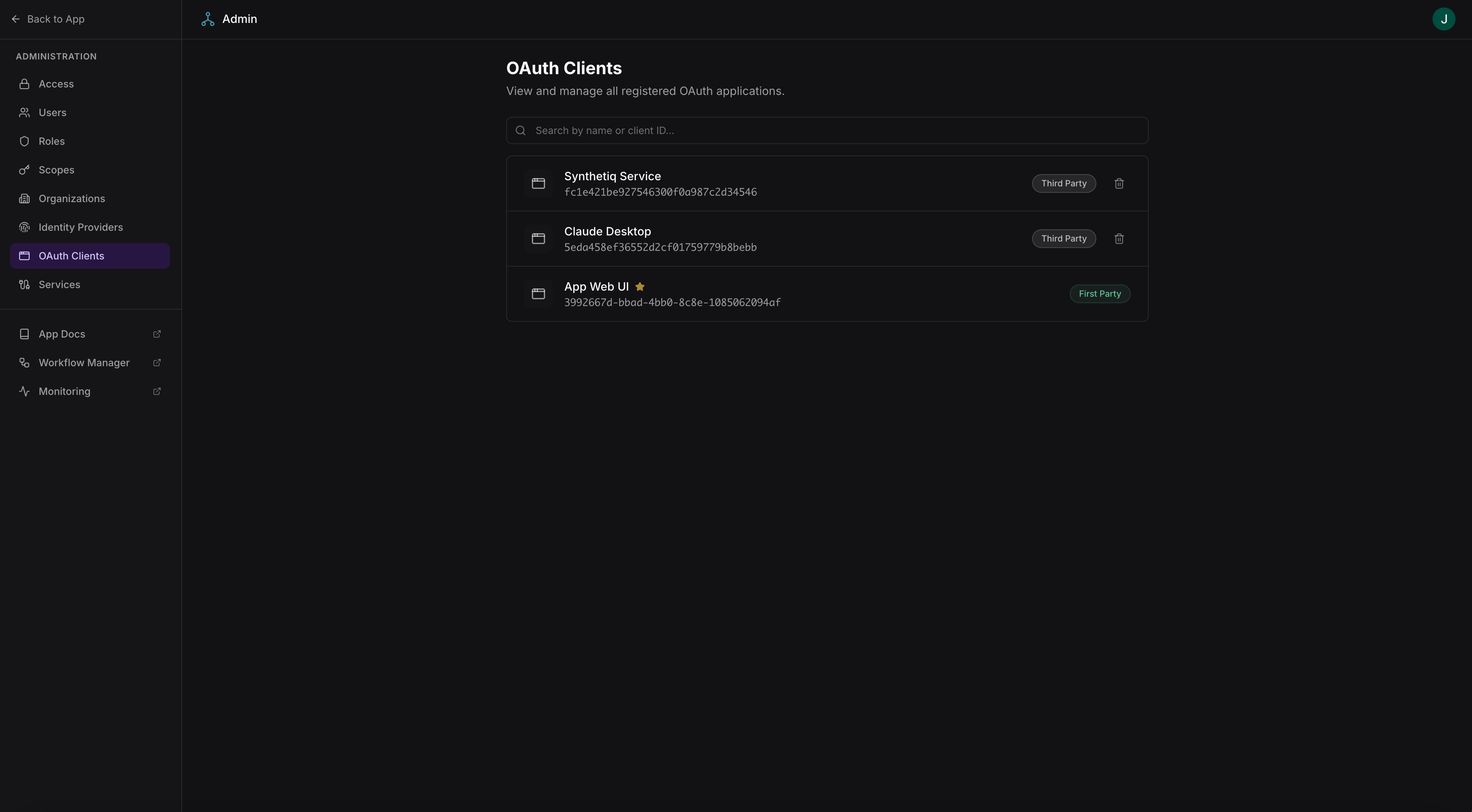
Admins manage all OAuth applications registered against the app at /admin/oauth-clients.
Admin OAuth clients page
Access requires admin-level scopes.
From this page, admins can:
  • View all registered OAuth applications (both admin-created and user-created)
  • Revoke or delete OAuth applications
  • View client details including redirect URIs and granted scopes

Users: registering OAuth apps

Users register their own OAuth applications at /settings/oauth-apps. This allows users to create integrations that act on their behalf.
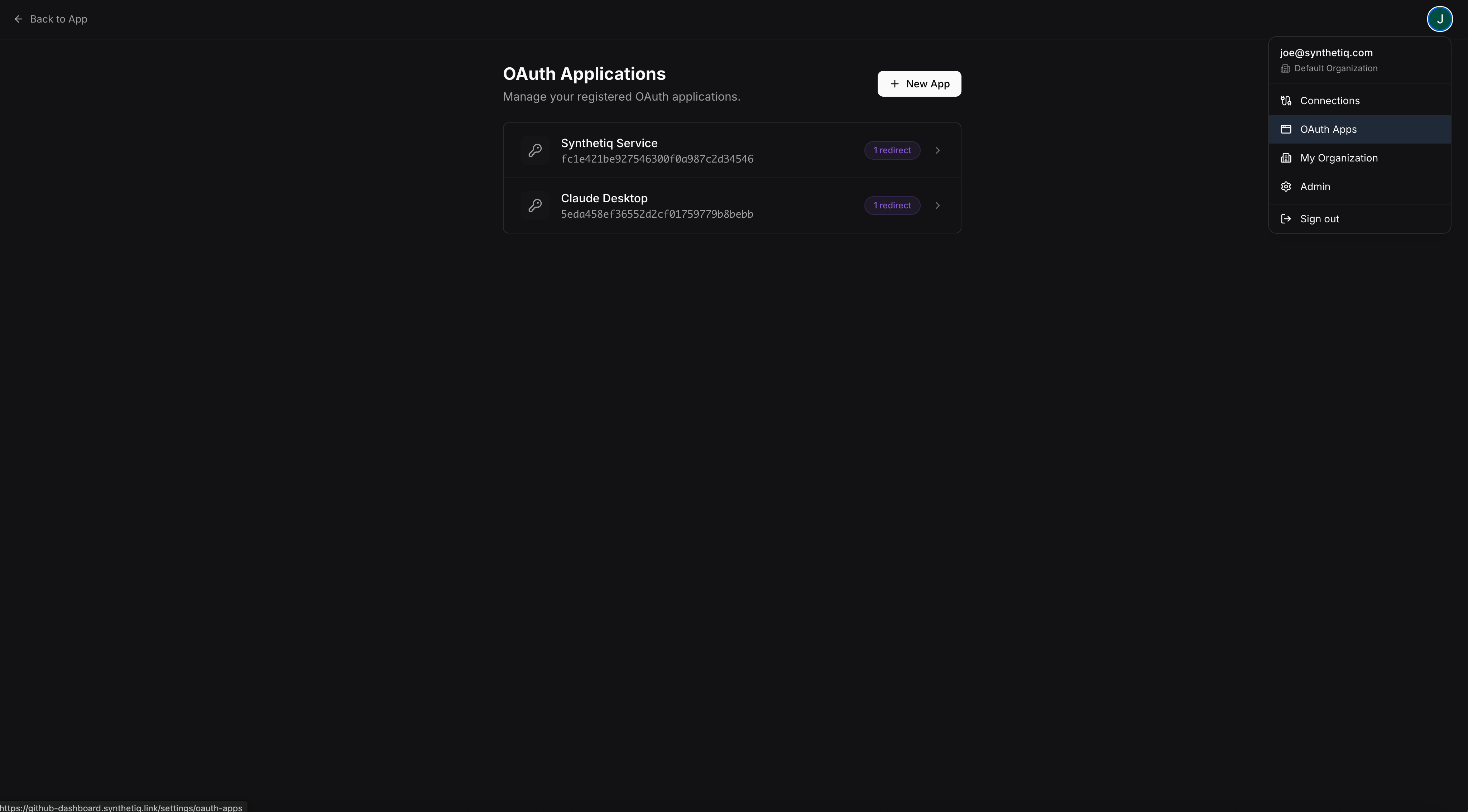
User OAuth apps page

Creating an OAuth app

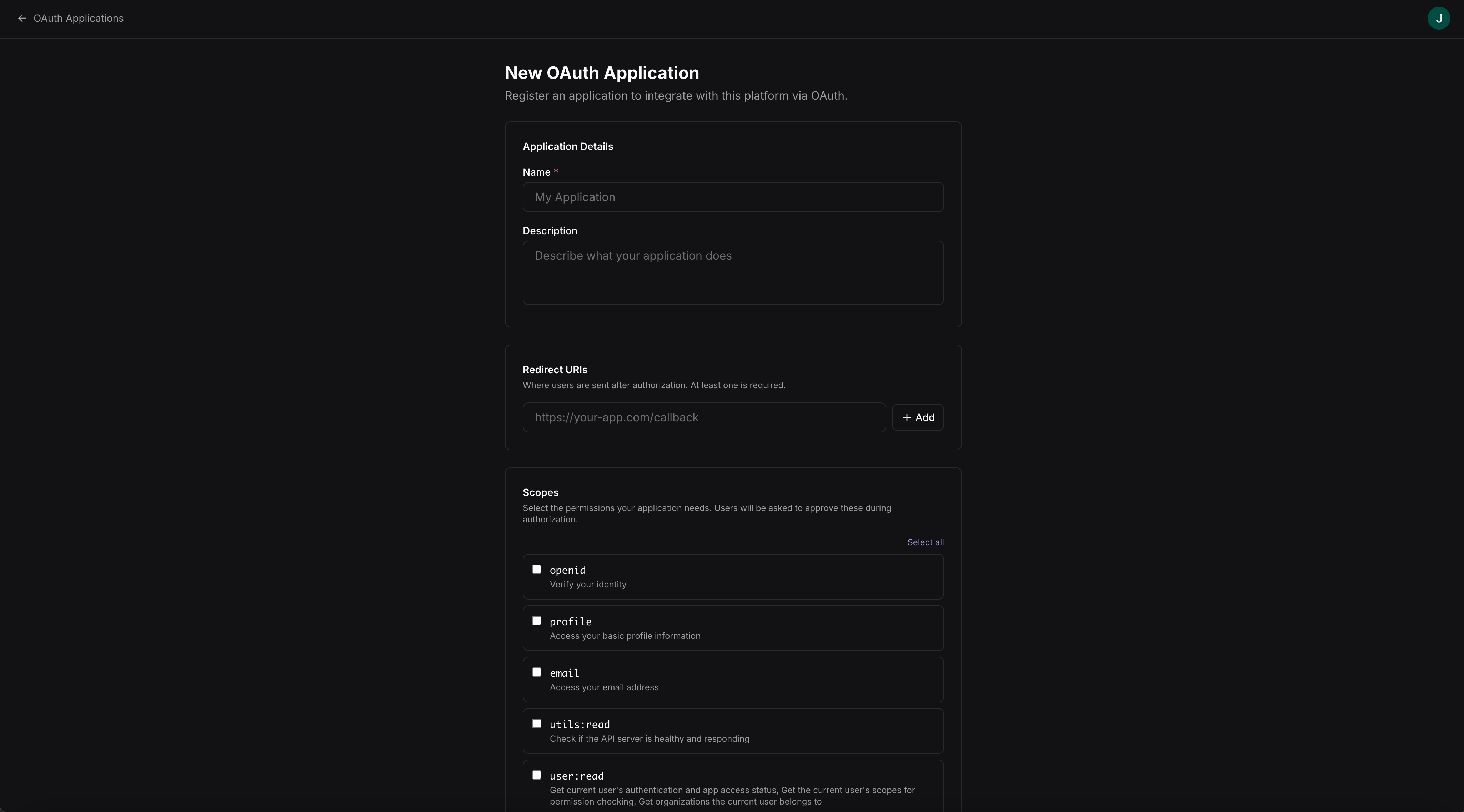
Users create a new OAuth application at /settings/oauth-apps/new:
Create OAuth app form
FieldDescription
NameDisplay name for the application
Redirect URIThe callback URL where the authorization code is sent
DescriptionOptional description of what the application does
After creation, the user receives a client ID and client secret to use in the OAuth flow.

Connecting via the HTTP API

External applications can call the app’s auto-generated HTTP API using an OAuth access token. The full API spec and interactive console are available in the app’s built-in API docs.

Connecting AI tools via MCP

MCP-compatible AI tools can connect to the app’s MCP server using OAuth credentials. The tool authenticates as the user and can call any procedure the user has access to.