

Access
The access page at/admin/access controls who can access the app and how users are invited.
Access levels
Inviting users
Add users by email address. They gain access when they log in with that email. Organization members automatically have access — manage organizations in the Organizations tab.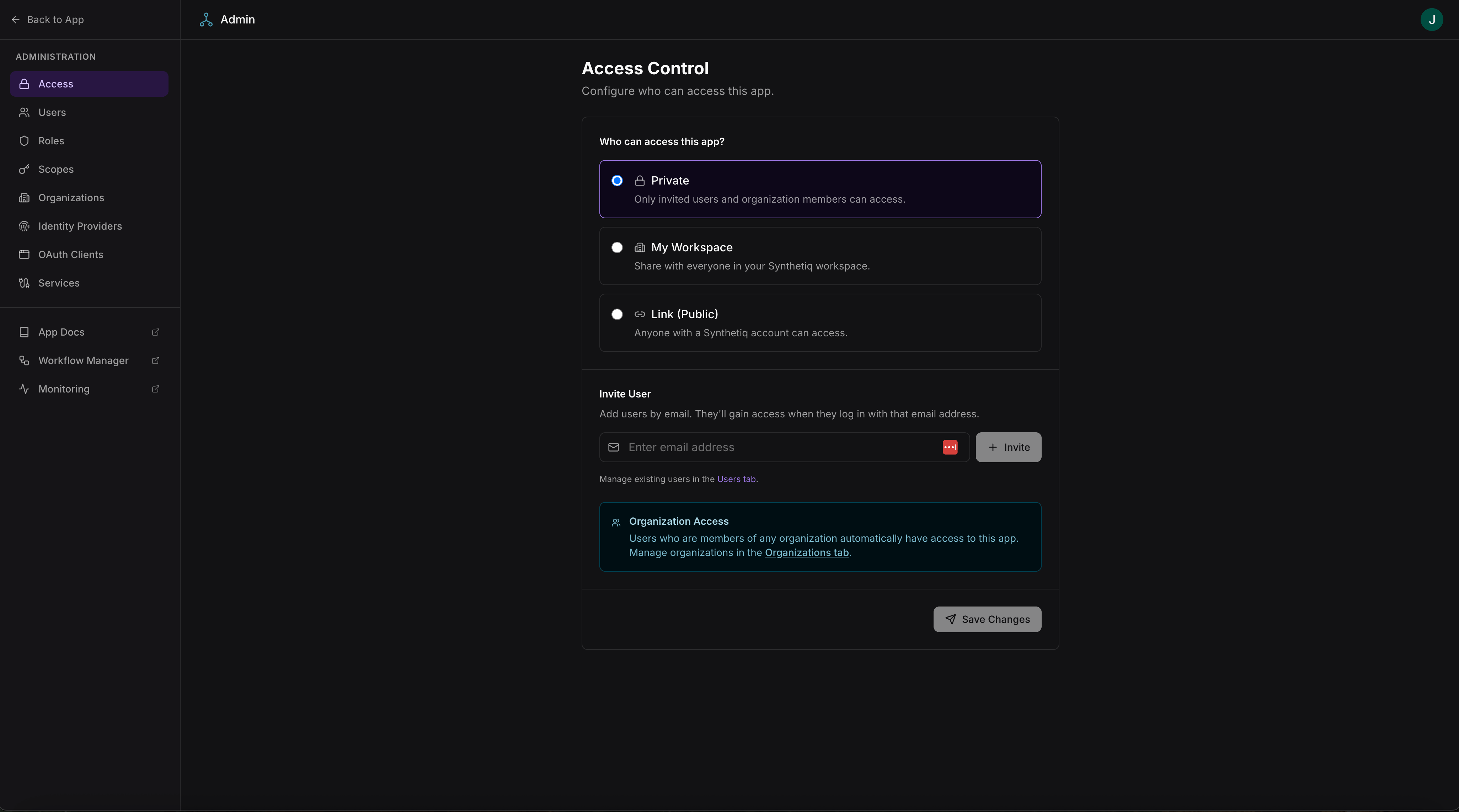
Access control with visibility settings and user invitations
Access to all admin pages requires admin-level scopes. The specific scope requirements are noted per section below.
Users
The users page at/admin/users lists all users who have accessed the app, or been invited to the app, with their roles, email, and last activity.
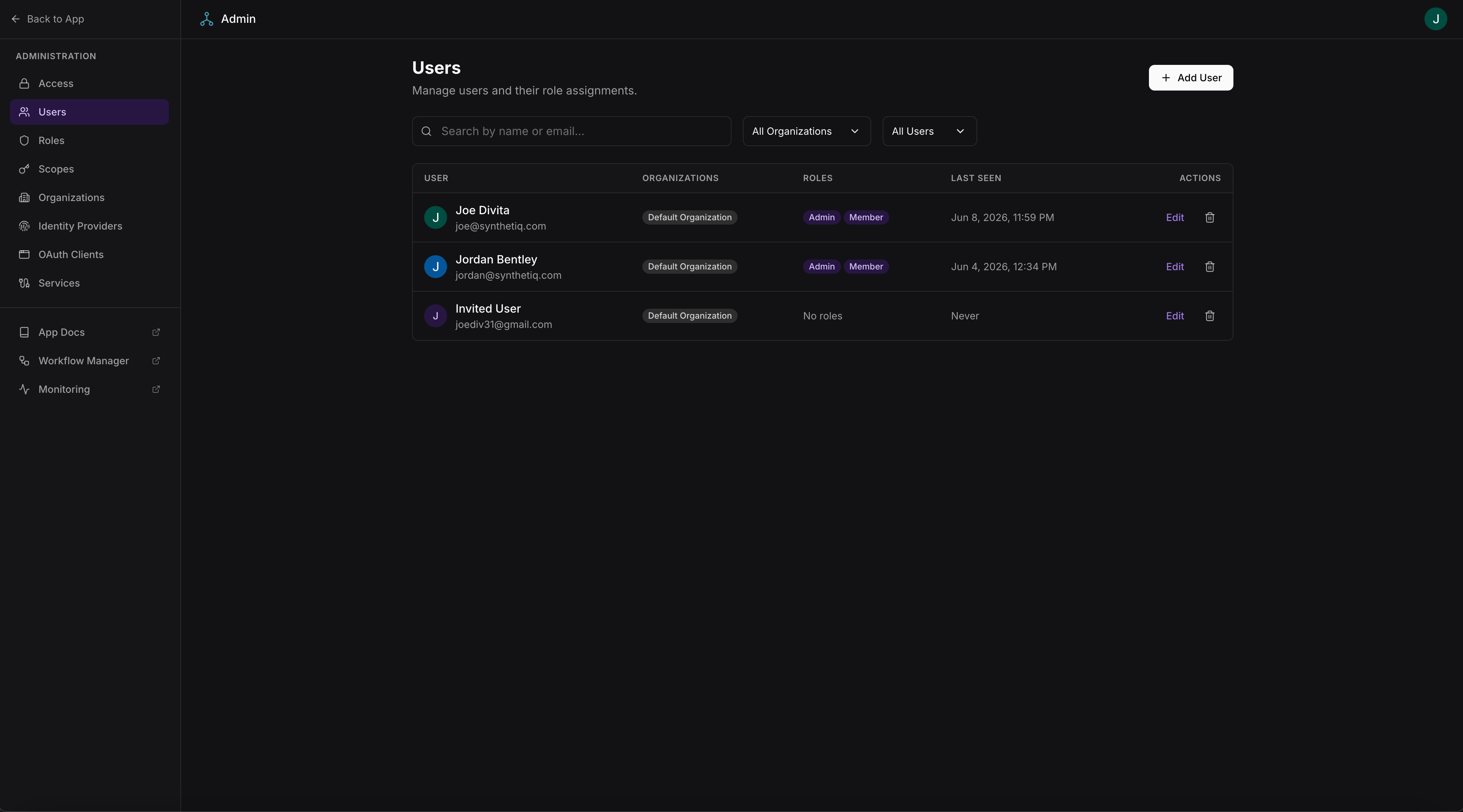
Users list with role assignments and activity tracking
User detail
Click a user to view and manage their profile at/admin/users/:id:
- View user profile (name, email, last seen)
- Map an external ID for data integration with external systems
- View linked identity providers
- View organization memberships
- Assign or remove roles
- Delete the user
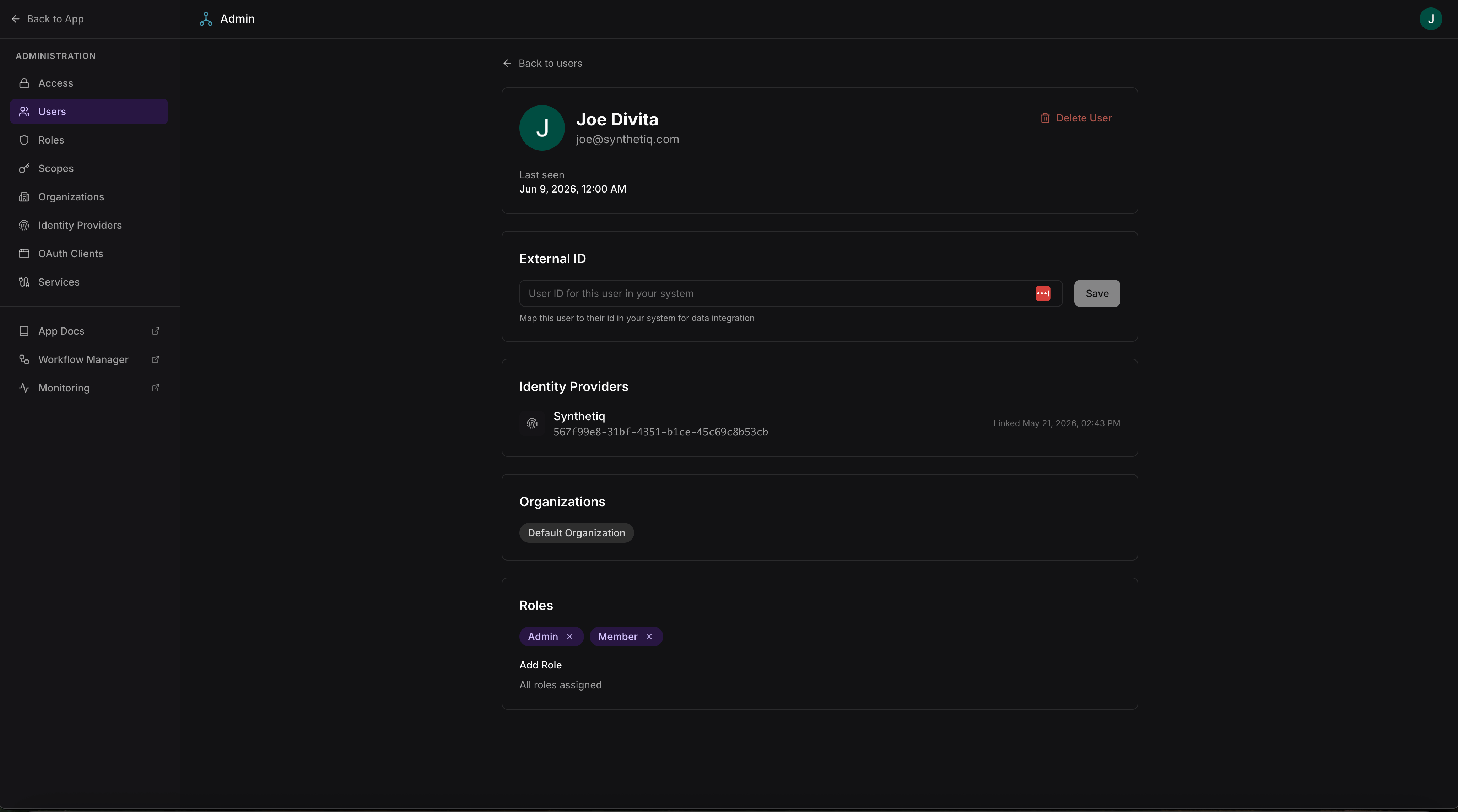
User detail with profile, identity providers, organizations, and role assignments
Roles
The roles page at/admin/roles lists all roles with their assigned scopes.
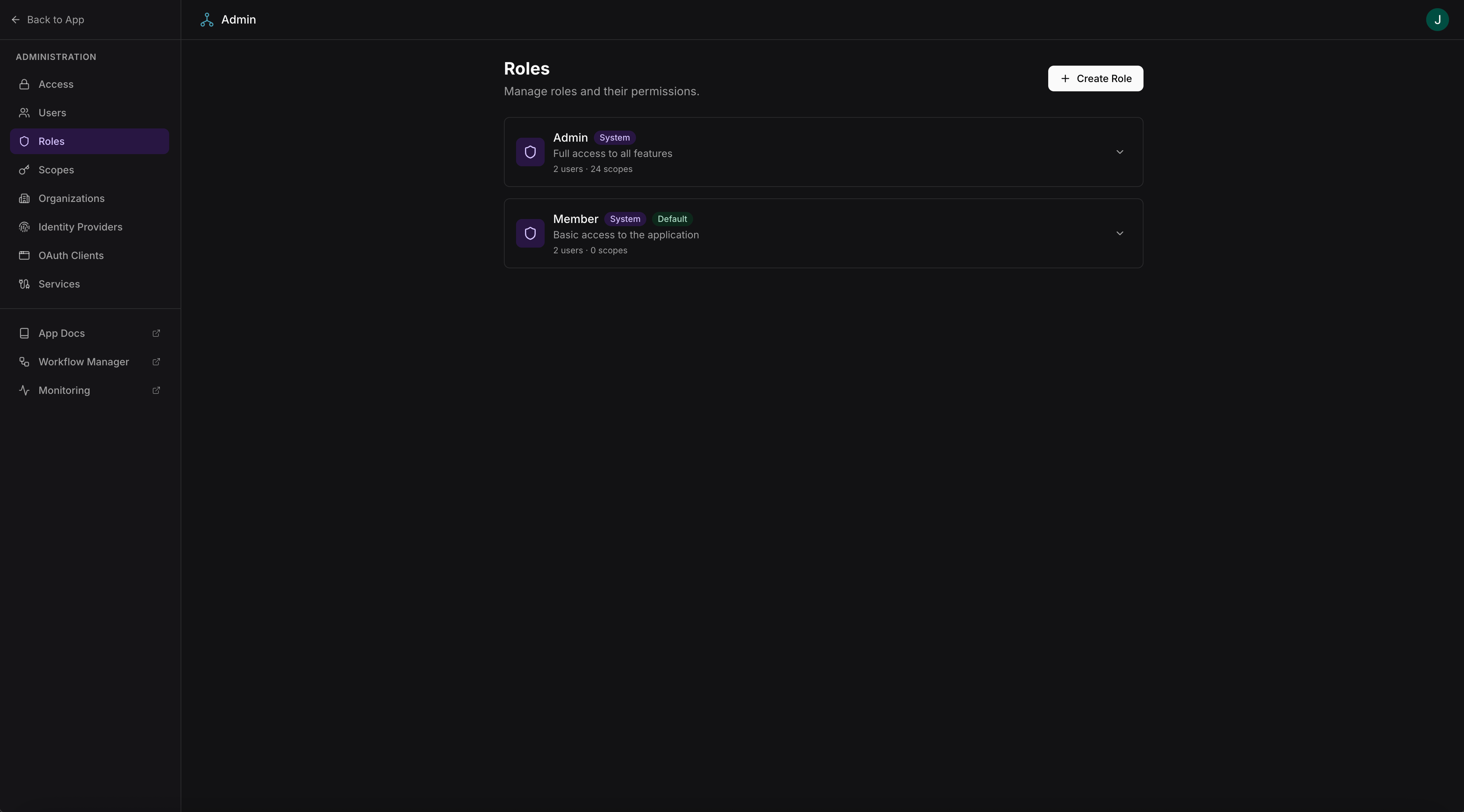
Roles list with scope counts and user assignments
Creating and editing roles
Admins can create new roles at/admin/roles/new or edit existing roles at /admin/roles/:id. Each role is a named collection of scopes.
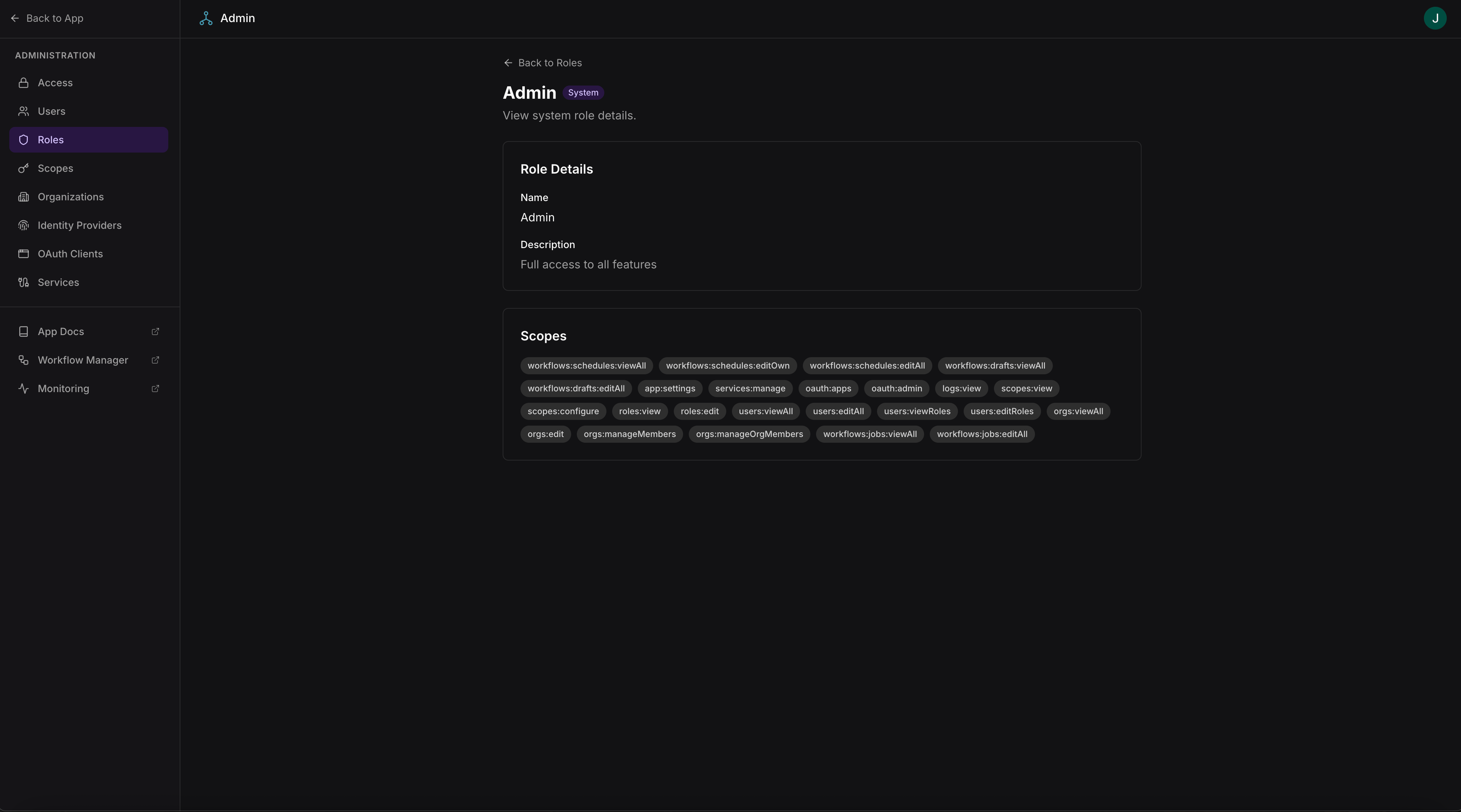
Role editor with scope selection
Scopes are defined in
scopes.json and synced at build time. To add or remove scopes, update scopes.json and rebuild the app. Roles are managed at runtime.Scopes
The scopes page at/admin/scopes lists all scopes defined in the app, showing each scope’s name, description, and which roles include it.
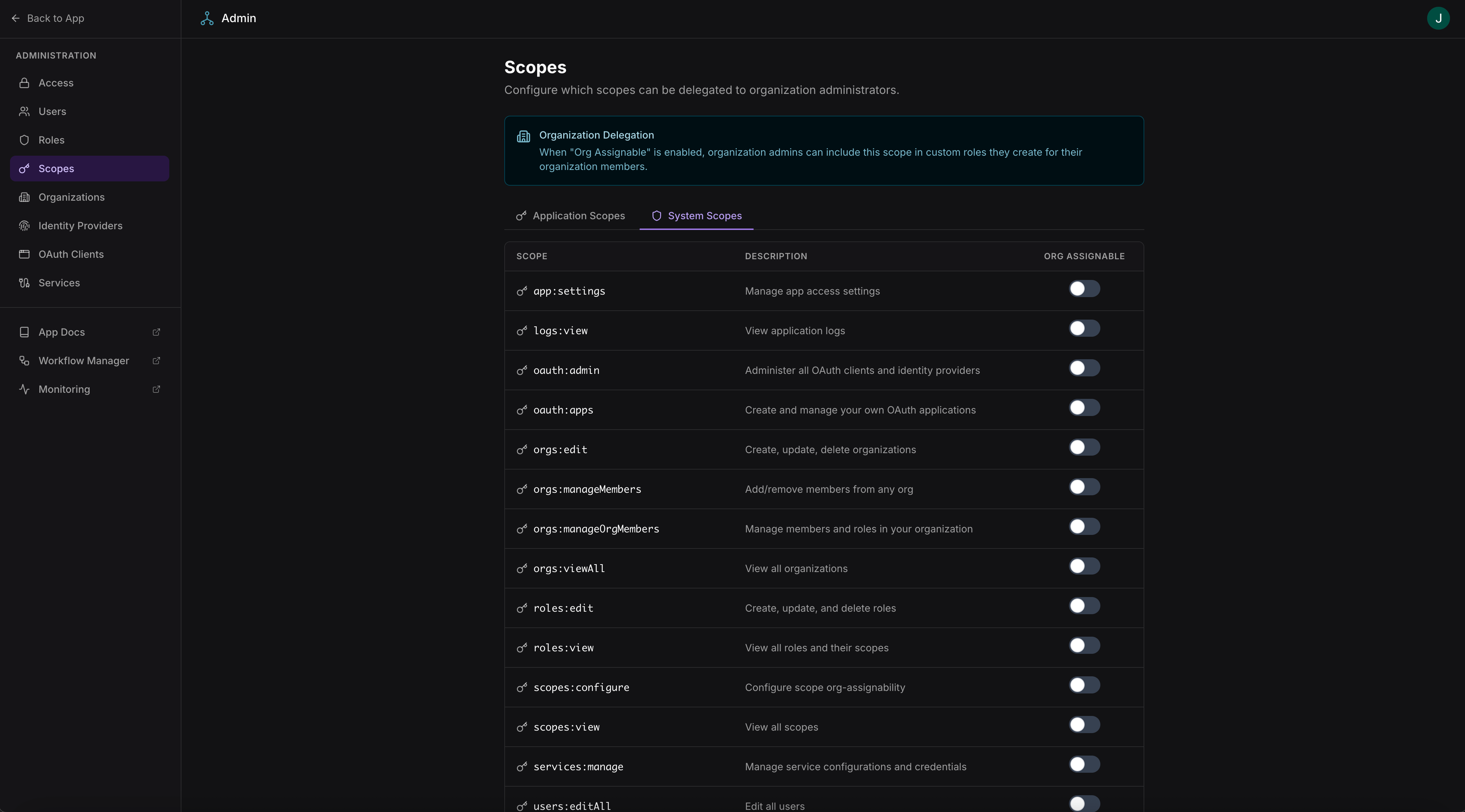
Scopes list showing all defined permissions and their role assignments
App scopes control access to the app’s own procedures, data, and service integrations. System scopes control access to the built-in admin pages and framework features (user management, role management, monitoring, workflow administration).
Both categories are assigned to roles in the same way. The Admin role automatically includes all scopes — both app and system.
Scopes are read-only in the admin UI — they are defined in
scopes.json (app scopes) or by the framework (system scopes) and synced at build time. See the App Framework scopes and roles documentation for configuration details.