

Every Synthetiq app has its own users and roles, managed in its admin pages. Run › Access brings every deployed app’s users and roles into one place, where you can change them. Platform and Console permissions live separately in Users & teams.

Who can use each app

Access lists each deployed app environment you look after, with people and role counts and when it was last read. By app shows one row per environment and By person one per person across apps, matched by email ignoring case and spaces. An environment has three tabs: People (roles, in-app organizations, last seen), Roles (what each allows, how many hold it) and History (each change made from the Console, by whom and when). A role held app-wide applies across the app; one held in an in-app organization applies only there.
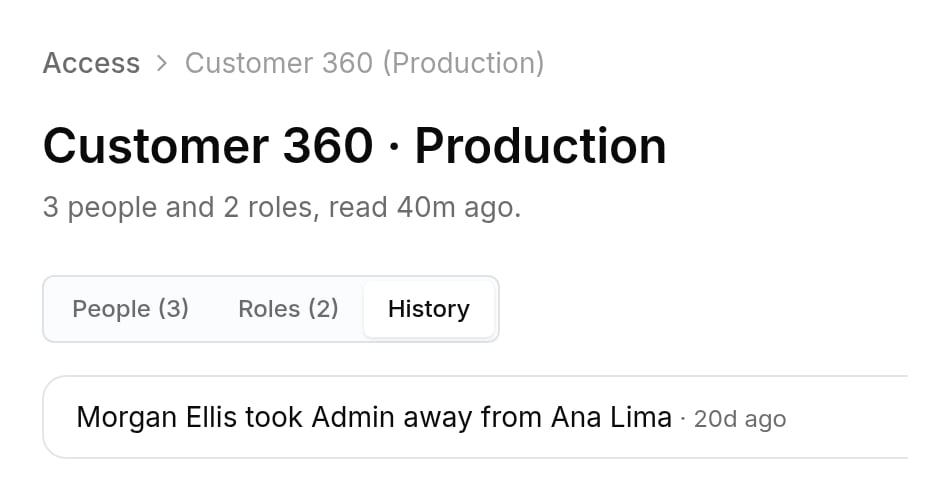
Customer 360 Production access page with People, Roles and History tabs, and one history entry recording who took a role away from whom

Access › History: each role change made from the Console, with who made it.

Add people and change roles

With user management on, the people who look after the app can:
  • Add person by email, with roles. They can sign in right away, and show as invited until they do.
  • Give, take away or change someone’s roles.
Changes reach the app immediately. The Console reads the person back to show the result, and History records who made the change.

Keeping it current

The Console rereads every app hourly. Sync now rereads one environment, and people who manage governance can Sync all.

Turn on user management

The Console reaches an app’s users and roles through the environment’s Data API, which is off until someone turns it on, one environment at a time. In Run › Apps, open the app, find User management and select Turn on; it can take up to a minute. While it’s on, the Console can read users and roles and change role assignments and invites, and nothing else in the app’s data. Turning it off asks you to confirm and leaves the data untouched. Only people who manage governance can switch it; everyone else sees whether it’s on.

Who sees which apps

People who manage governance see and manage access for every app, contributors for apps they contribute to, and team members for apps their team owns. Nobody else sees an app’s access, so an app with no owning team is visible only to its contributors and people who manage governance.