

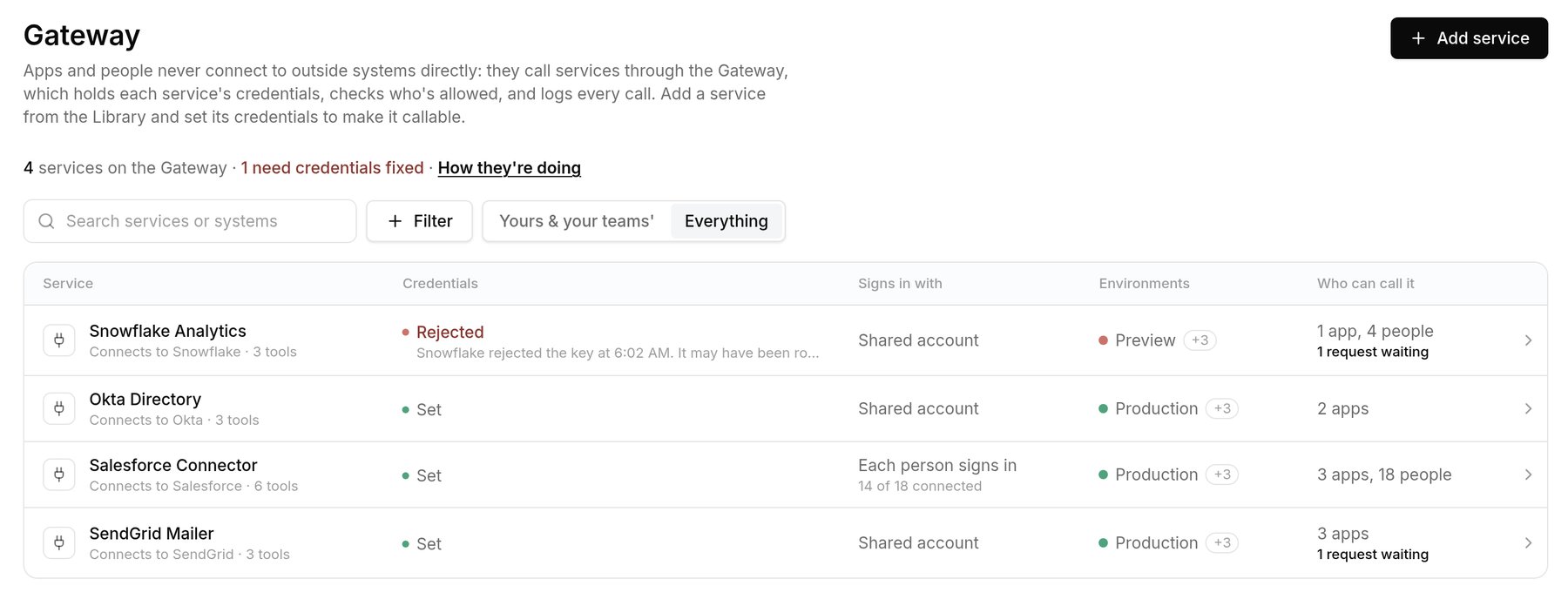
Each service with its credentials, sign-in mode, environments and who can call it.
Services and credentials
Add a service from the Library and give it credentials. With a Shared account, every call uses one account and everyone sees the same data. With Each person signs in, calls run as each person’s own account, under the outside system’s permissions. Credentials are per environment, and an environment without them refuses calls instead of borrowing another’s. They’re encrypted, only the Gateway reads them, and a saved secret is never shown again.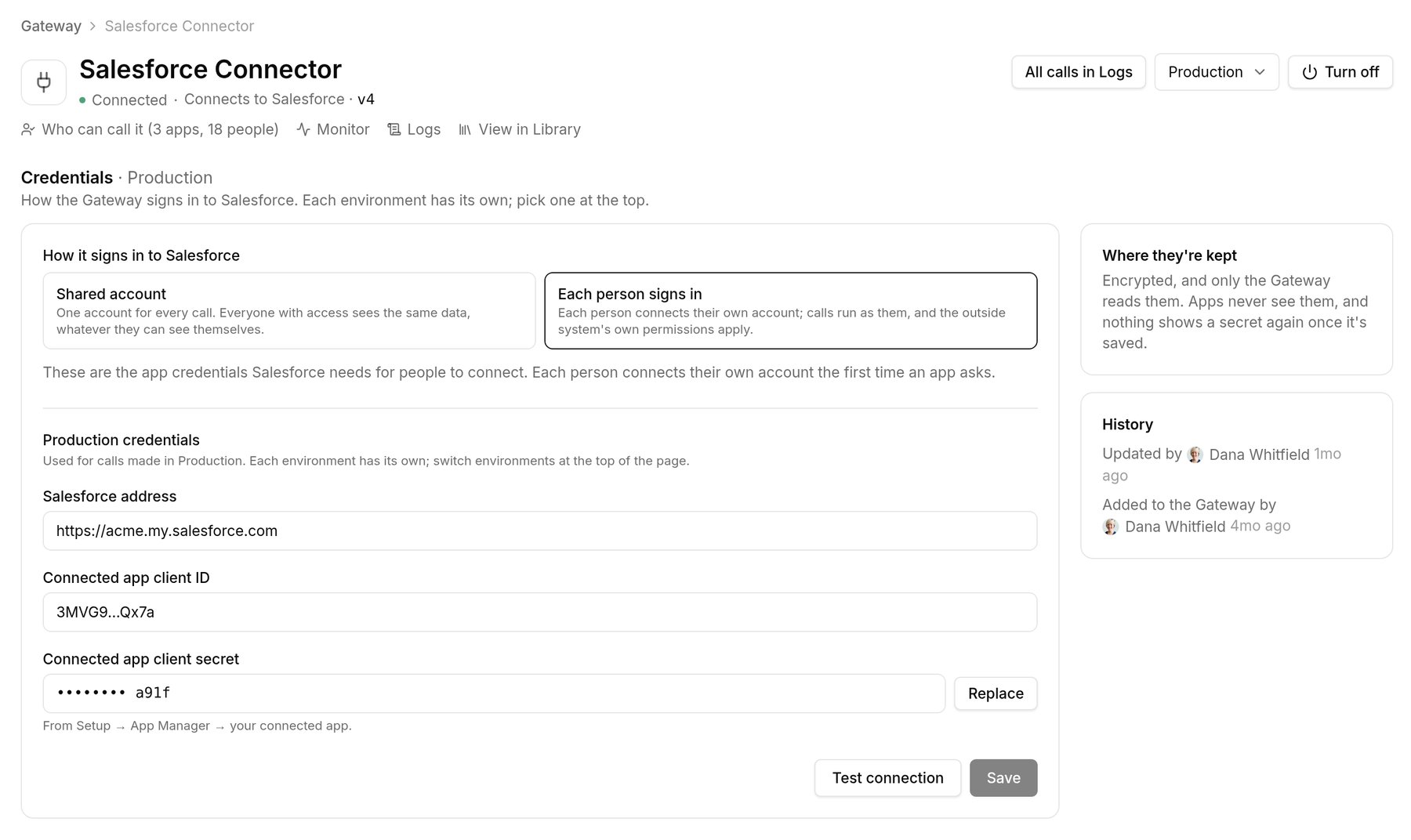
One service's Production credentials, set to have each person sign in.
Who can call what
Apps, people and teams are granted All tools, Read-only tools, or named tools. Tools are marked Read or Mutation, and mutations need All tools or a grant by name. Grants can expire, and then have to be asked for again. Requests go through Reviews with a reason and the tools requested, and your automations decide who signs off.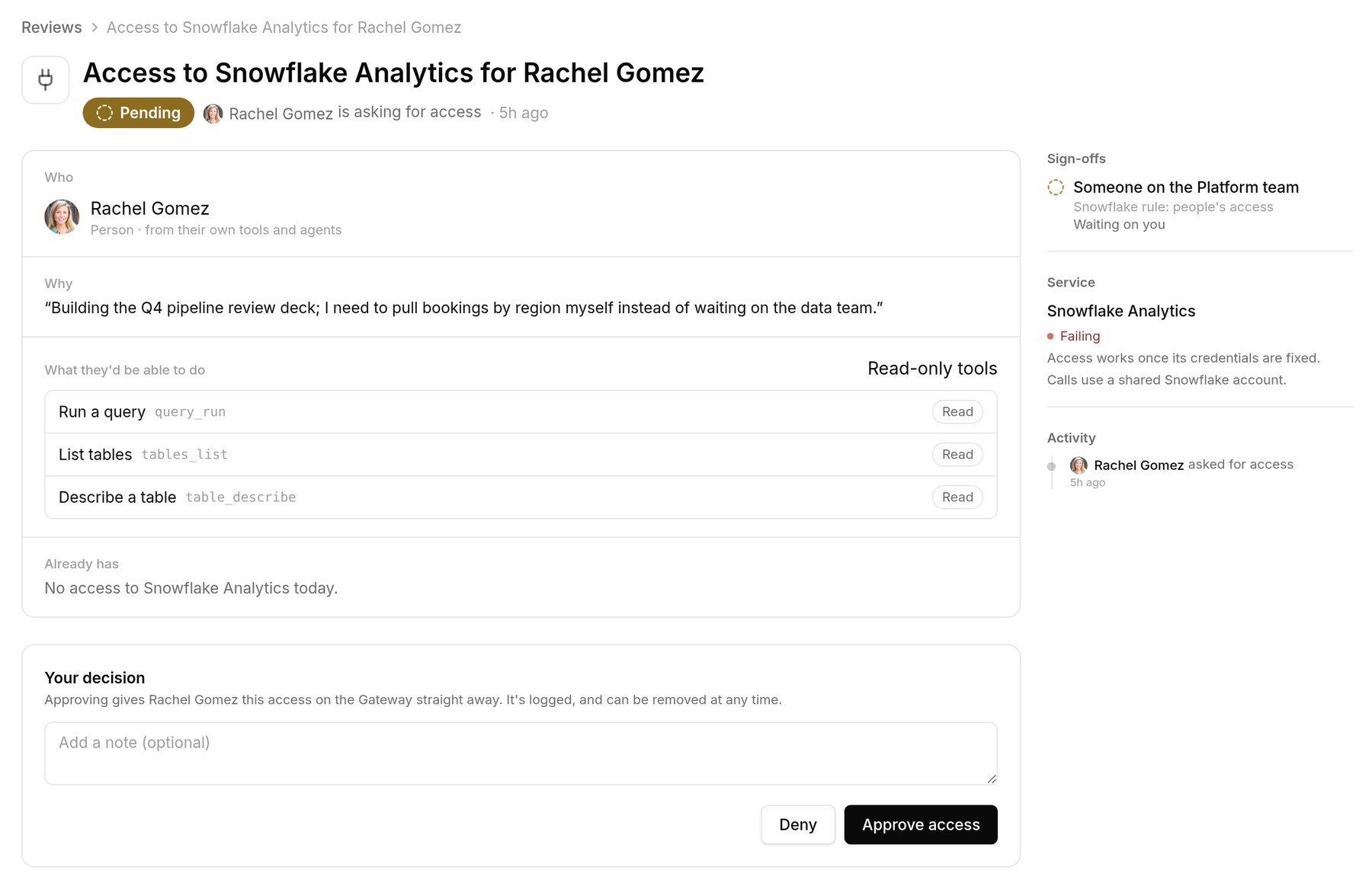
A request for read-only tools, with the reason and the sign-off it needs.
Every call logged
Since apps reach services only through the Gateway, its log is complete: service, tool, caller, result (allowed, denied or error), status, duration and trace ID, with secrets and personal data redacted. Read it as the Gateway source in Logs.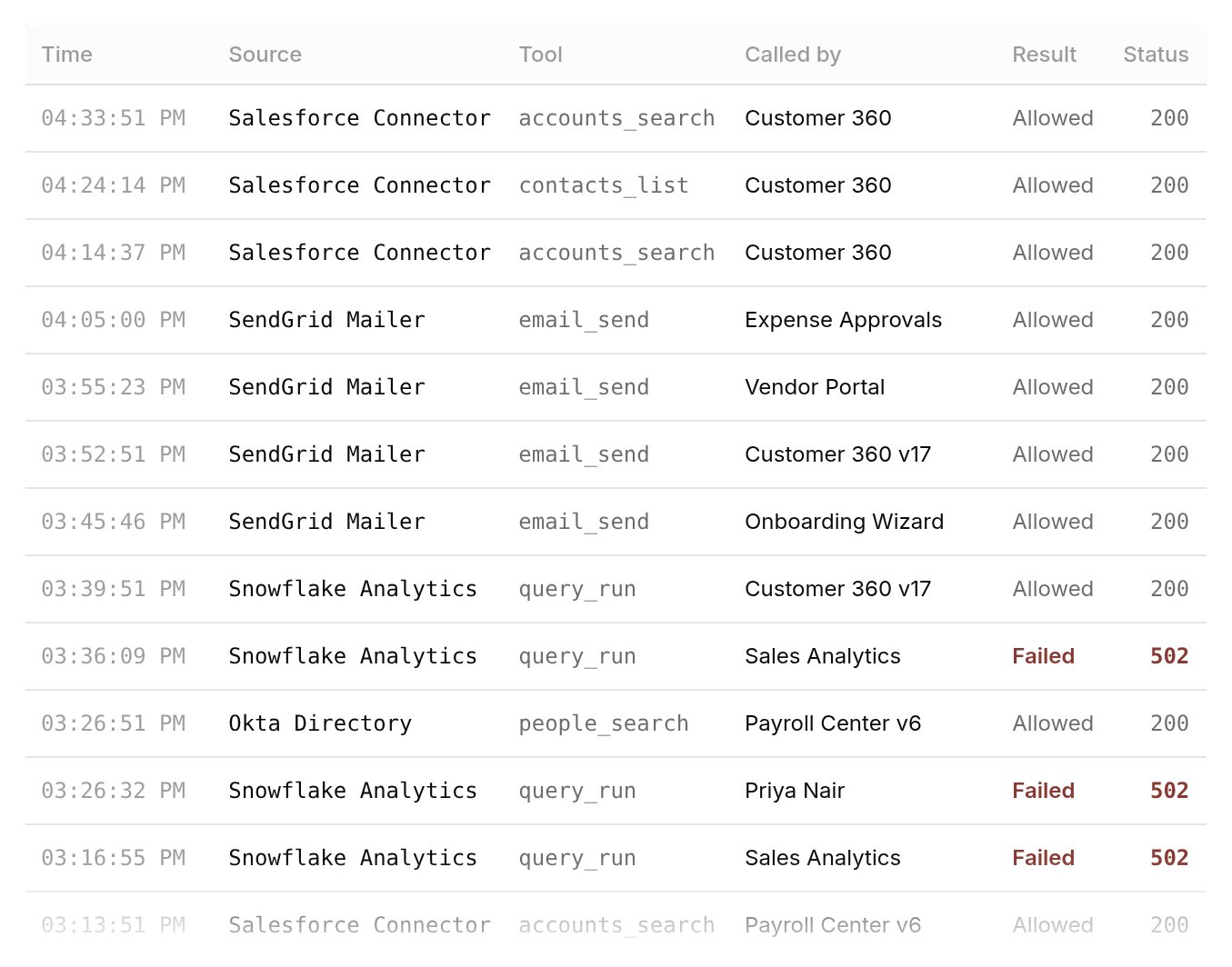
Logs › Gateway: each call with its tool, caller and result.
Related
- Clear app/service boundary and Service configuration cover how an app calls a service and its service settings.
- A service’s Used by tab in the Library shows the apps that bundle it.
- People see the services they use and connect their own accounts in My access.